QScope

You run the job for the client

Check it, certify it, and see the whole position

Whether you are the architect acting as contract administrator, the project manager or the client, you are on the same side of the certificate and you need the same figures. QScope shows what has been certified, what is retained and what is still to pay, and it carries the dates the payment runs to, so the certificate and the notice never disagree.

  • Retention at full rate, half at practical completion
  • VAT charged once, after any recoveries
  • The statutory dates the payment runs to

30 days free, no card.
Client Valuations
How the amount due is built
Gross to date£3,090,000
Less retention held(£154,500)
Due to date, exc VAT£2,935,500
This certificate, net of retention£342,000

The amount due is shown line by line, so a figure that looks wrong can be traced rather than argued.
Check the application, then certify it

An application arrives as a total.

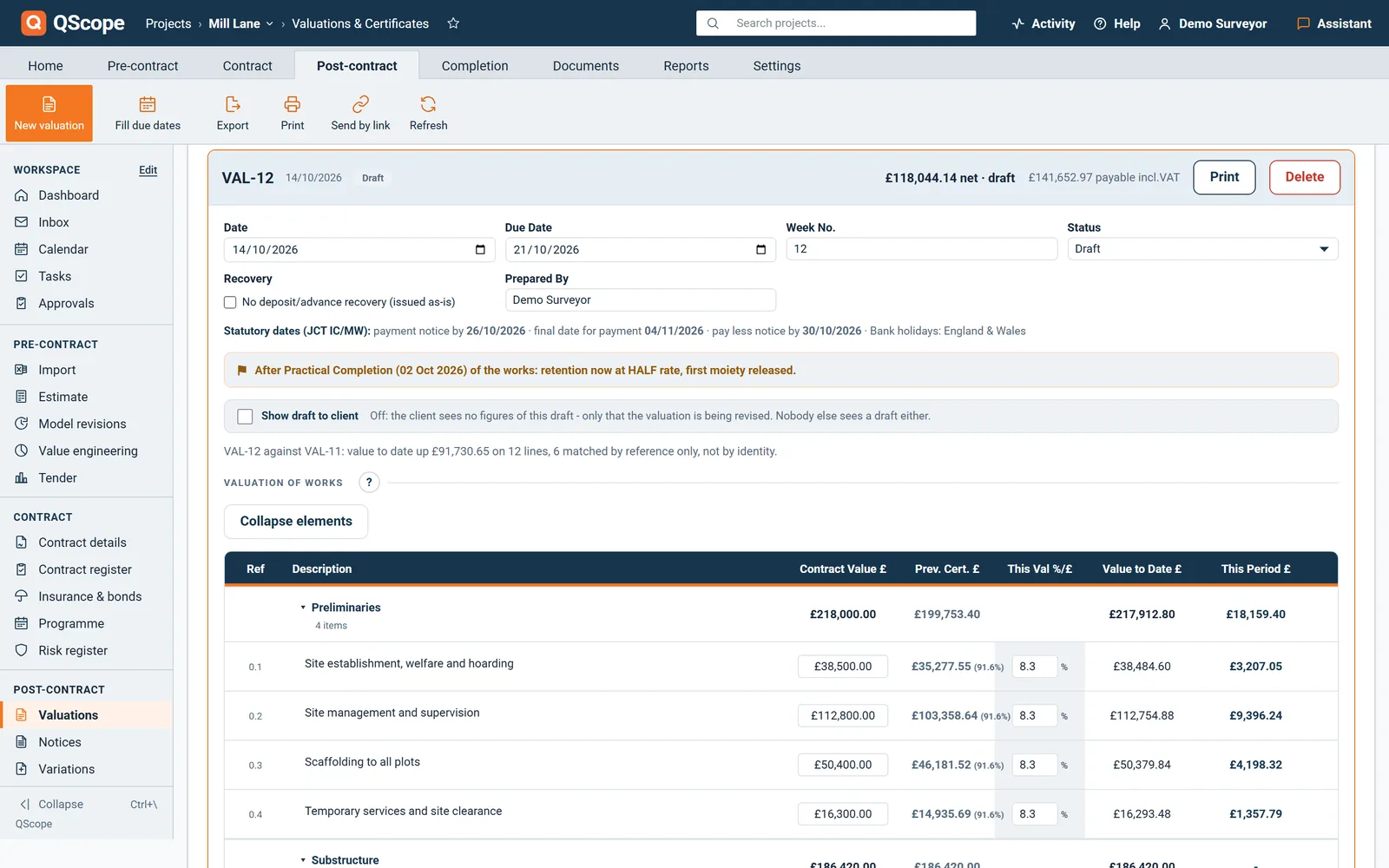
What you have to certify is the build-up behind it. QScope shows retention at the rate the contract sets, VAT once on the reduced net, and the amount previously certified, so you can see how the figure was reached instead of taking it on trust. Certifying a different sum is a normal outcome, and the document says so. Where a deduction such as liquidated damages is proposed, QScope shows whether the notices the contract requires have actually been issued, because a deduction without them does not hold.

Dashboard

One screen for the whole position

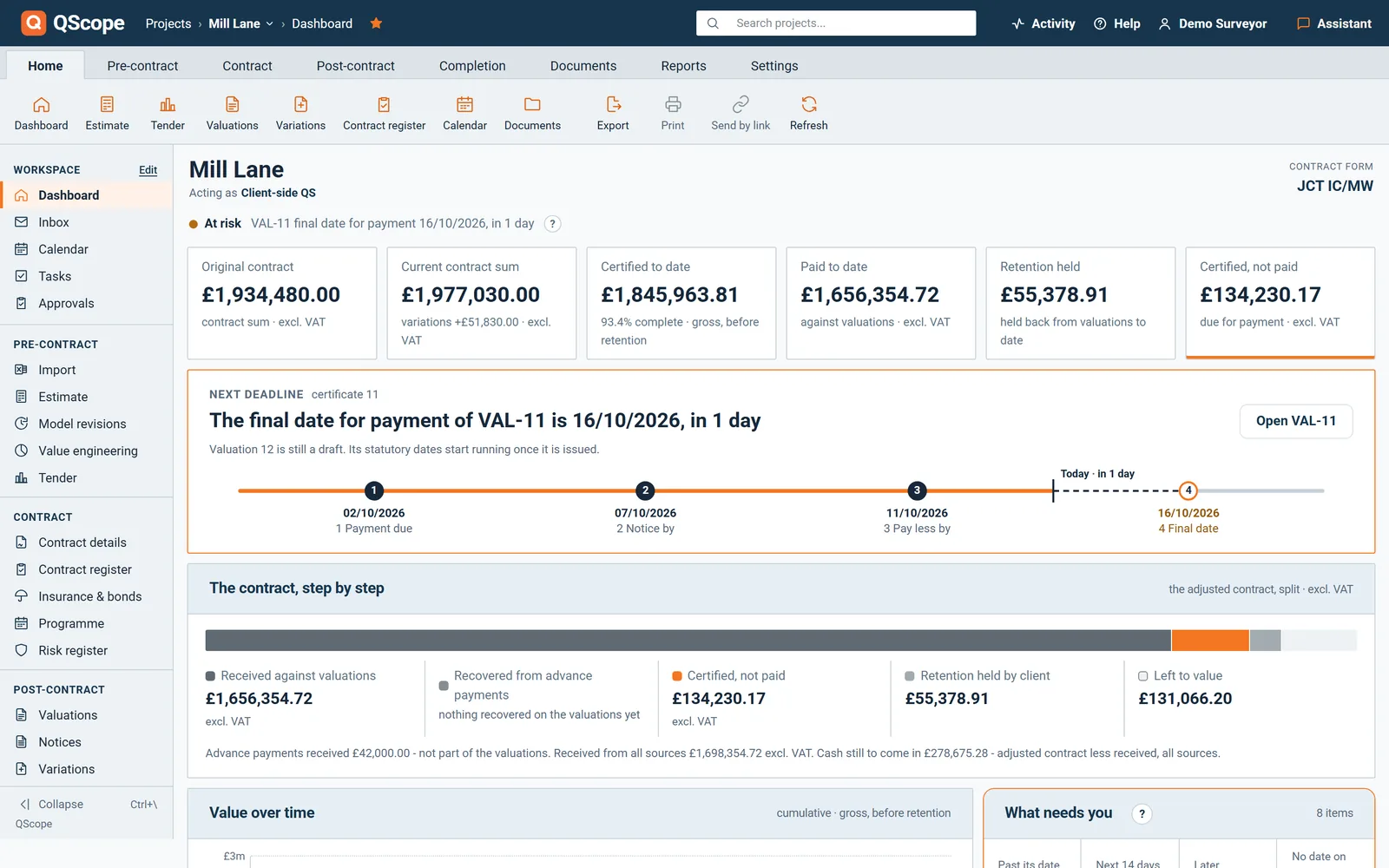
Certified to date, retention held, and the balance still to run all sit on one dashboard, per project and across the portfolio.

  • Certified to date, retention held, balance to collect
  • Every job on one screen, or one job in full
  • The same figures the surveyor certifies from
Dashboard
Project position, Riverside Court
Certified
£3.09m
Retention held
£154k
This certificate
£342k
Adjusted contract sum£3.71m
Certified to date£3.09m
Balance to collect£620k

Certified is not the same as finished. The balance to collect is what is still to come against the whole contract.

Cost report

Change, and its effect on the sum

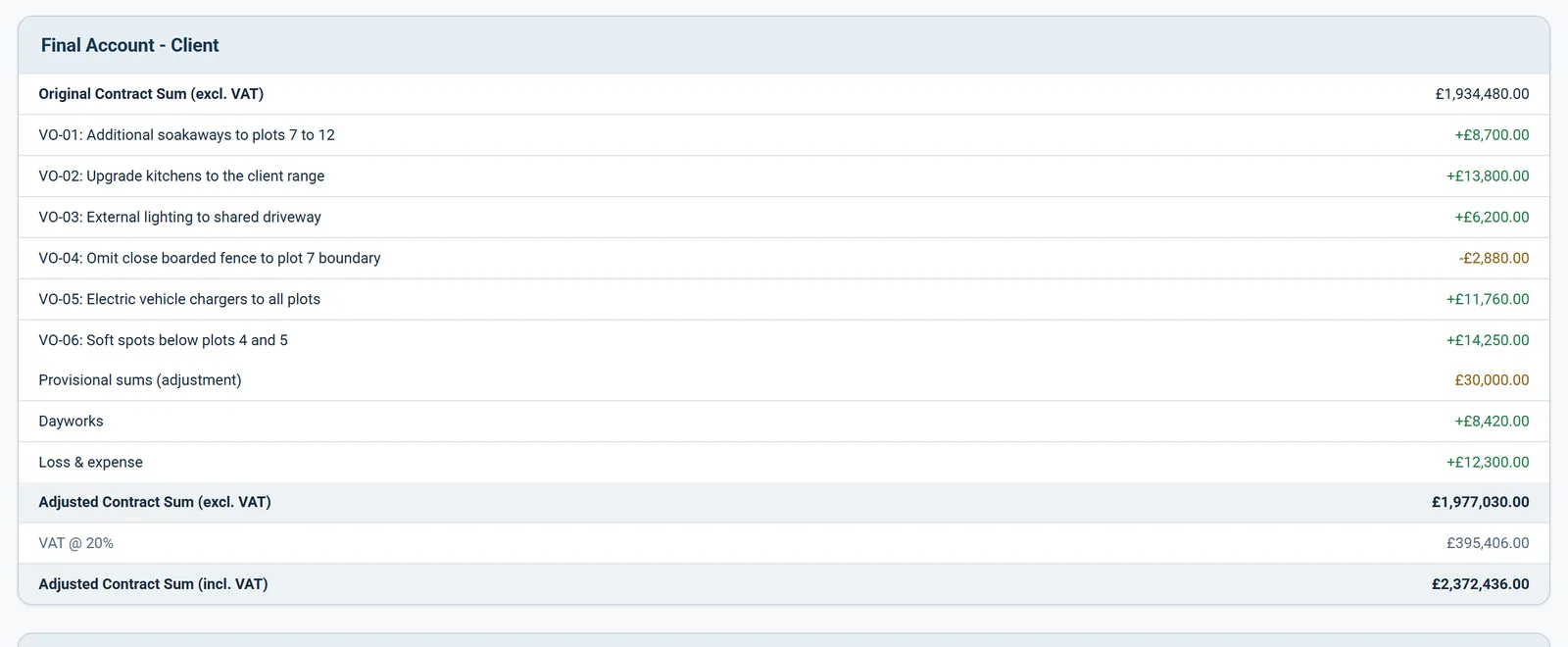
Variations move the contract sum, and the effect should be visible while there is still a decision to make, not disclosed at the final account.

  • Net effect of variations on the contract sum, kept current
  • Anticipated final cost against the approved budget
  • Contingency drawn down as risks land
Cost report
Anticipated final cost
Approved budget£3,600,000
Committed change£87,400
Anticipated final cost£3,687,400
Contingency remaining£38,600

The variance is the number to plan for, disclosed while there is still time to act on it, not at the final account.

See it running before you sign up

Deadlines

The deadlines that fall on you

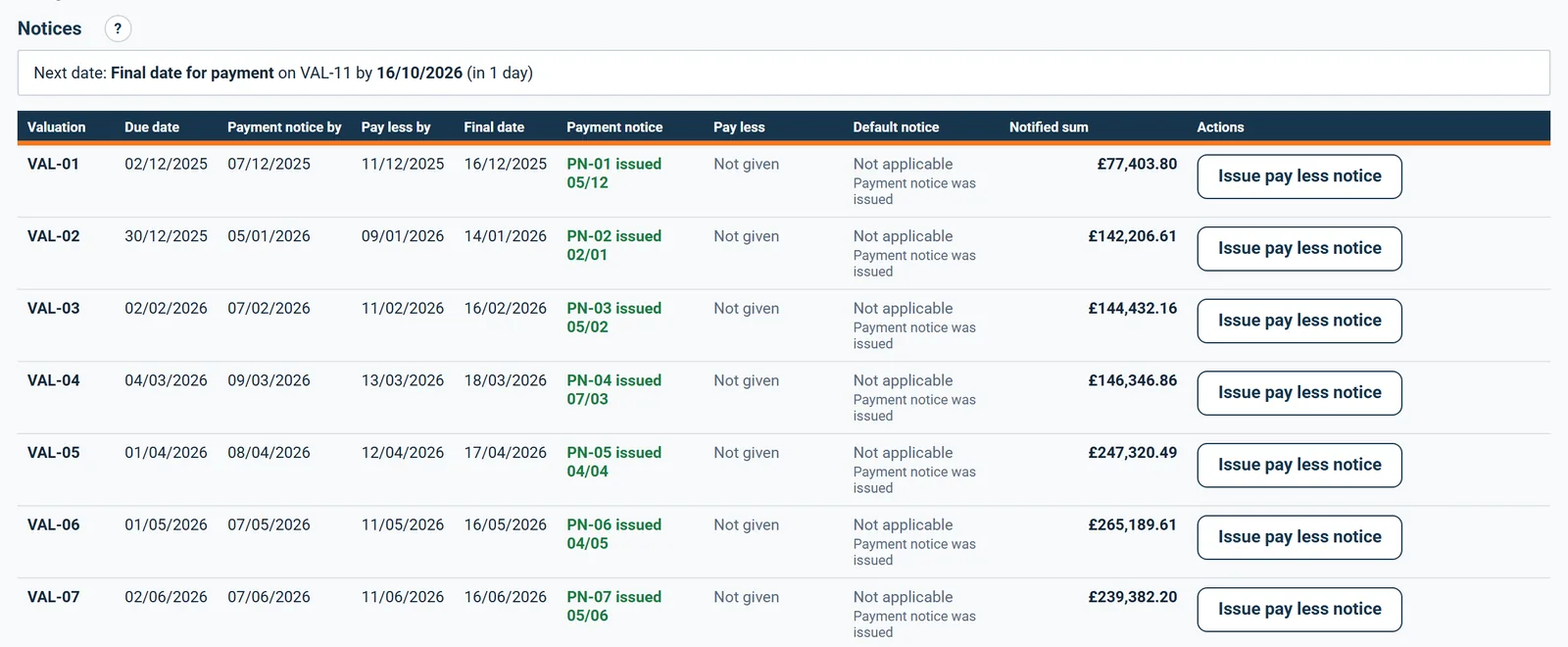
The payment notice is yours to serve, and so is the pay-less notice if you are paying less than the notified sum.

  • Payment notice, pay-less and final date for payment
  • Practical completion, sections and partial possession
  • The rectification period and the release of retention
Deadlines
What is due next
Statement received25 Jul 2026
Engineer issues IPC, within 28 days22 Aug 2026
Employer pays, within 56 days19 Sep 2026
Next deadline22 Aug 2026

Every deadline is counted from the contract, so the date you are working to is the date that binds.

Who it is for

The same four dates, four different desks

You are applying

You start the clock with the application

You send the application and the clock starts. If the payment notice is late or missing, the sum you applied for becomes the sum that falls due.

Applying for payment
the same measurement

You are certifying

Your notices are what the Act reads

You issue the notices, and the dates on them are the ones the Construction Act holds you to. A missed pay-less deadline is not an argument you can win.

You are here

You are doing both

You count the dates with nobody checking

You send the application yourself and count the same four dates, with nobody to remind you which notice has to leave this week.

Doing both yourself

You are reporting

You lend against dates that must hold

You confirm the drawdown timetable against the contractual payment dates, so the facility releases against dates that will actually hold.

Recommending a drawdown

The client, the architect and the tenderer are not on this list. They are the people you let in on a link: they see the one document you sent them, answer it, and that answer is written into the record. No account, no licence, no charge, on every plan.

FAQs

The questions this page raises most often, answered without a sales pitch at the end.

No. An employer or project manager can be given guest access to the position without a surveyor licence, so you see the figures without running the certificates yourself.

Yes. The dashboard reads the same data the surveyor certifies from, so there is one position, not a report that has drifted from it.

It shows whether the notices the contract requires for a deduction have been issued. Whether to make the deduction is a decision for the contract administrator, not the software.

No. QScope calculates dates and figures from the information entered and the contract form. It is software, and the dates remain subject to the terms of your contract, which you are responsible for verifying.

From the blog

The part nobody teaches you, written down

Three pieces from the same corner of a contract as this page, answered at length and without a sales pitch at the end.

All 174 pieces

Keep reading

The three parts this page leans on

Check it, certify it, and see the whole position

Whether you are the architect acting as contract administrator, the project manager or the client, you are on the same side of the certificate and you need the same figures. QScope shows what has been certified, what is retained and what is still to pay, and it carries the dates the payment runs to, so the certificate and the notice never disagree.

30 days free, no card.

Rather ask first? Write to help@qscope.co.uk and you will get a reply within one working day, Monday to Friday.