How it works
You set the job up once. After that the estimate, the tender, the contract, every monthly valuation, the notices, the final account and, where there is a lender, every drawdown work from the same record. Nothing is retyped between stages. Start wherever your job is today.
30 days free, no card.
Step 1 · Once per project, about ten minutes
The contract form, your role and the payment periods decide every payment date and the name of the payment document. You confirm the periods from your own contract. QScope fills in none, apart from the FIDIC defaults of 28 and 56 days, which you confirm or change.
What comes out
A project with the right payment dates and document name from the first page.
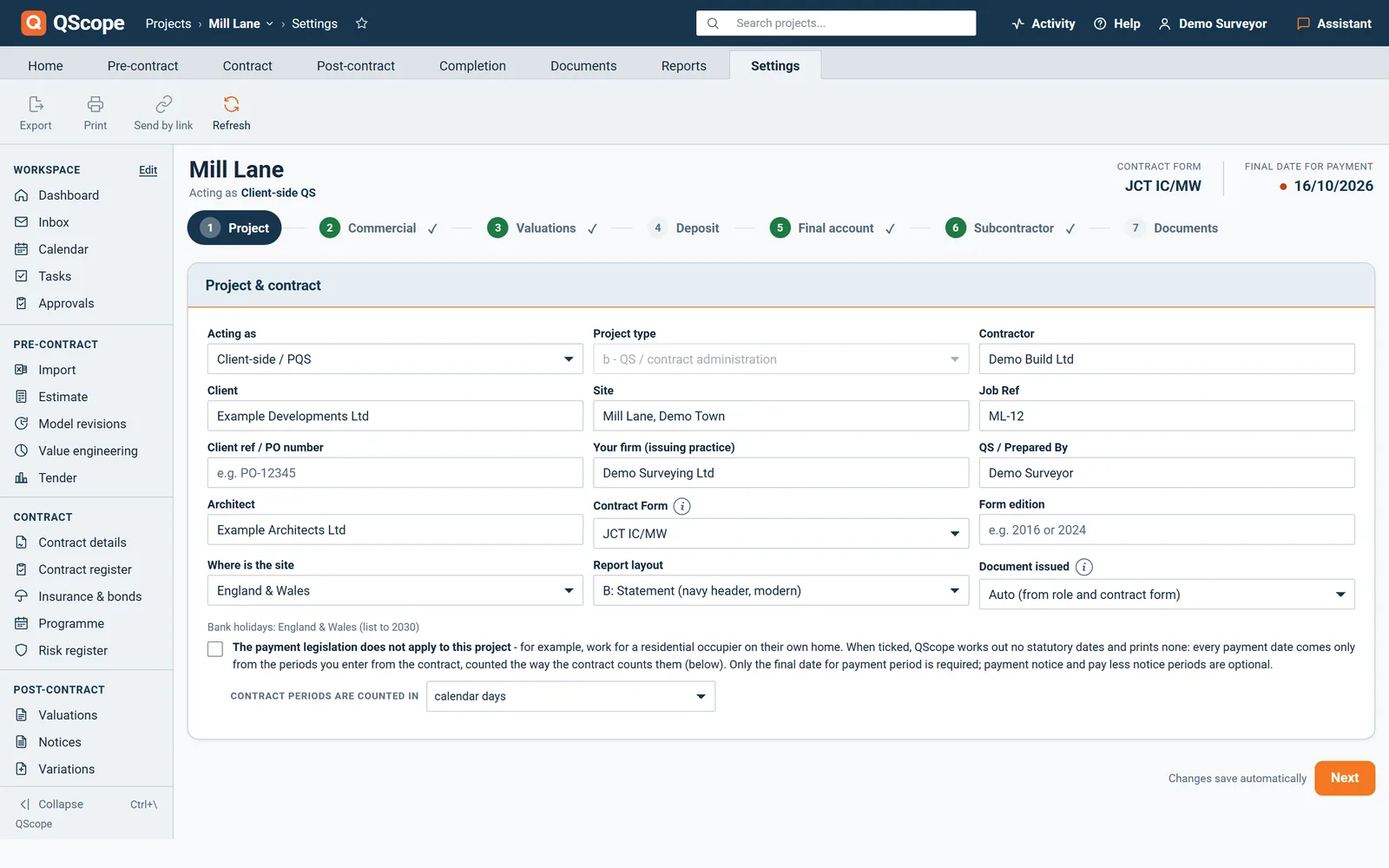
The four periods are typed from your Contract Particulars. Until they are confirmed, no statutory date is shown.
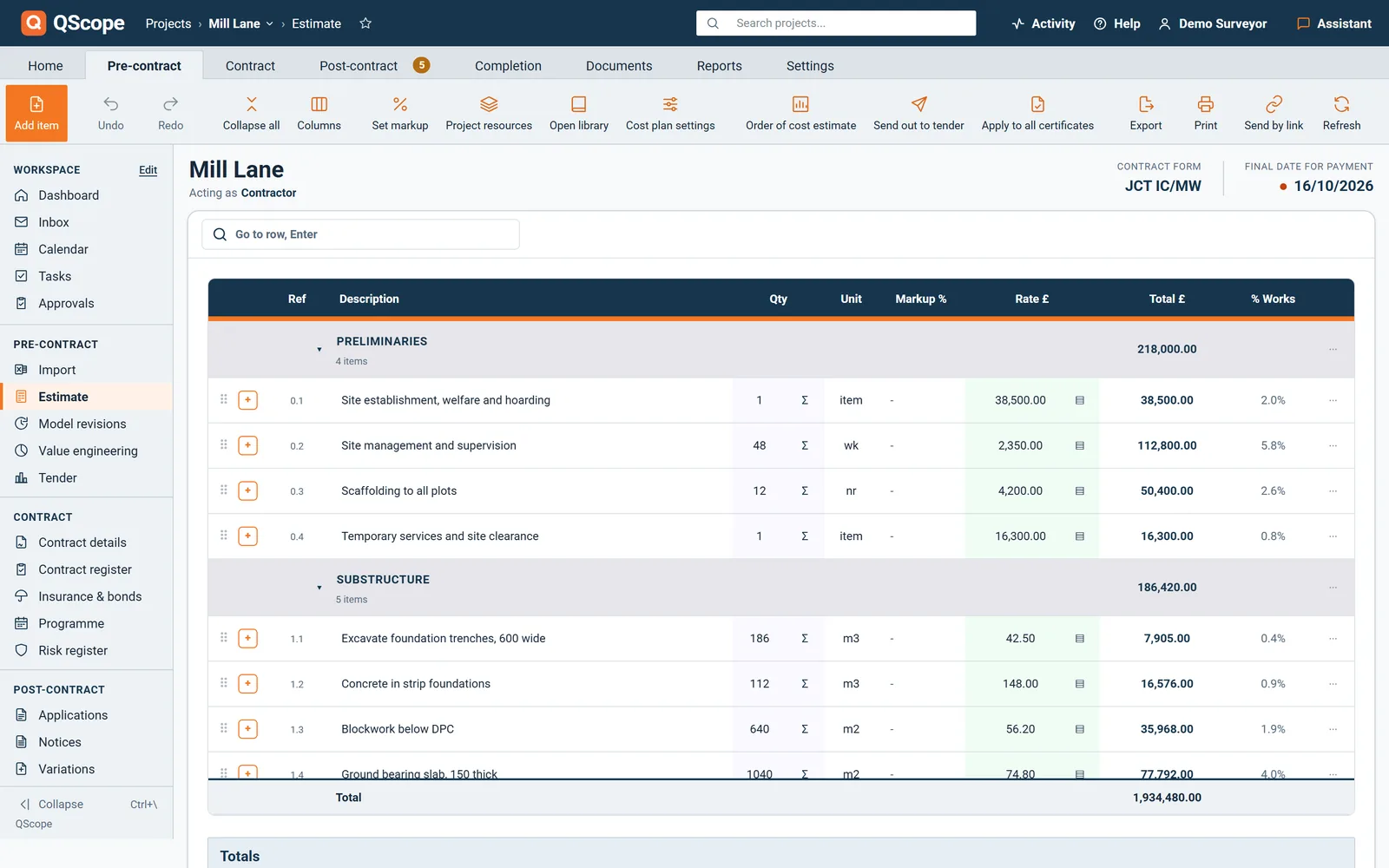
Step 2 · Once, revised as the design moves
Build the estimate line by line, or import the spreadsheet you priced in. Either way it becomes the starting point for everything after it.
What comes out
Who else takes part by link, free

Every line carries its quantity and rate, and every section adds up to the project total.
Step 3 · Per package
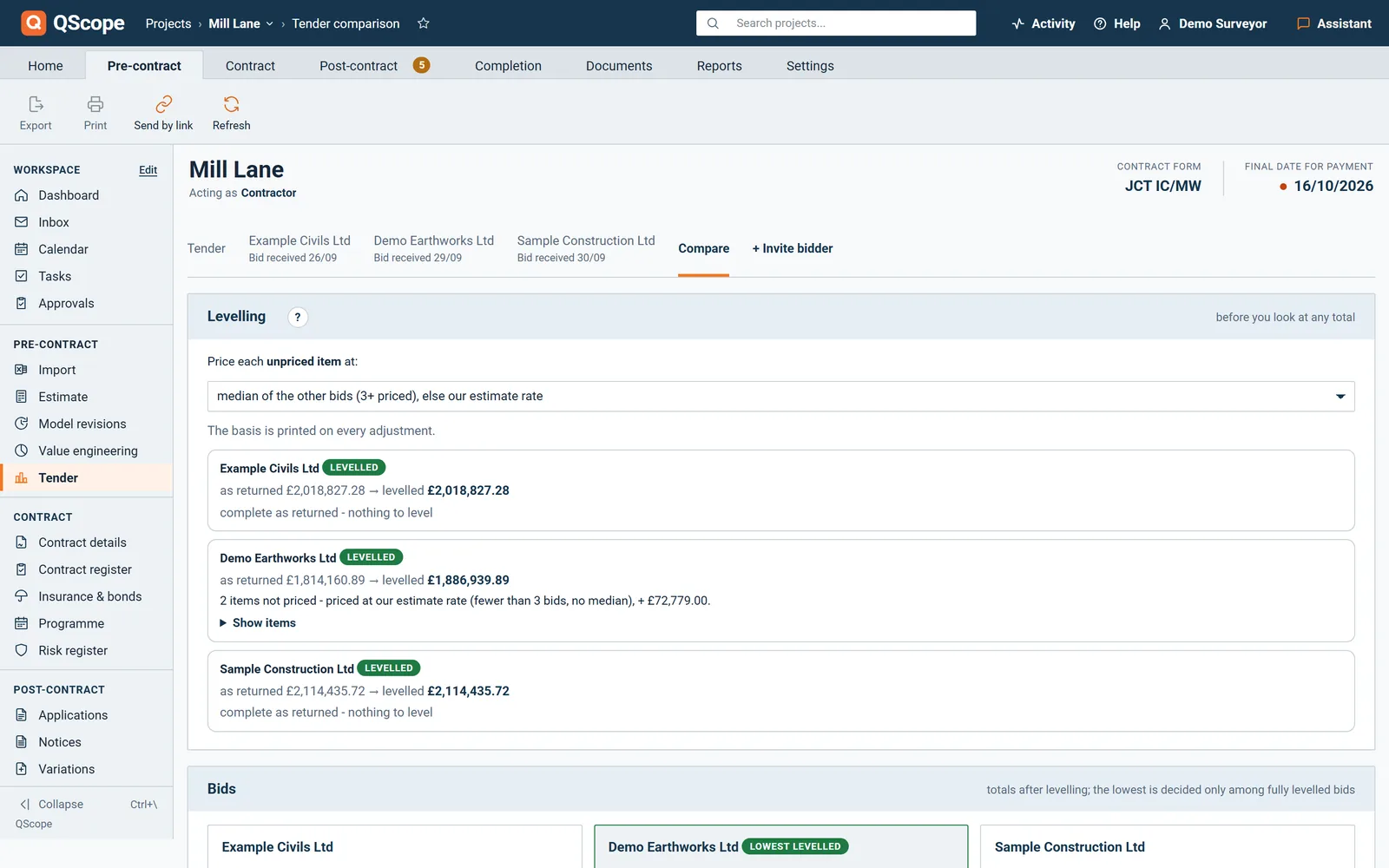
The enquiry is built from your estimate, so every bid comes back against your own item references.
What comes out
A levelled tender comparison saved to the project, showing the basis of every adjustment.
Who else takes part by link, free

Demo Earthworks Ltd left two lines unpriced. Both gaps are priced before the totals are compared.
Step 4 · Once per contract and subcontract
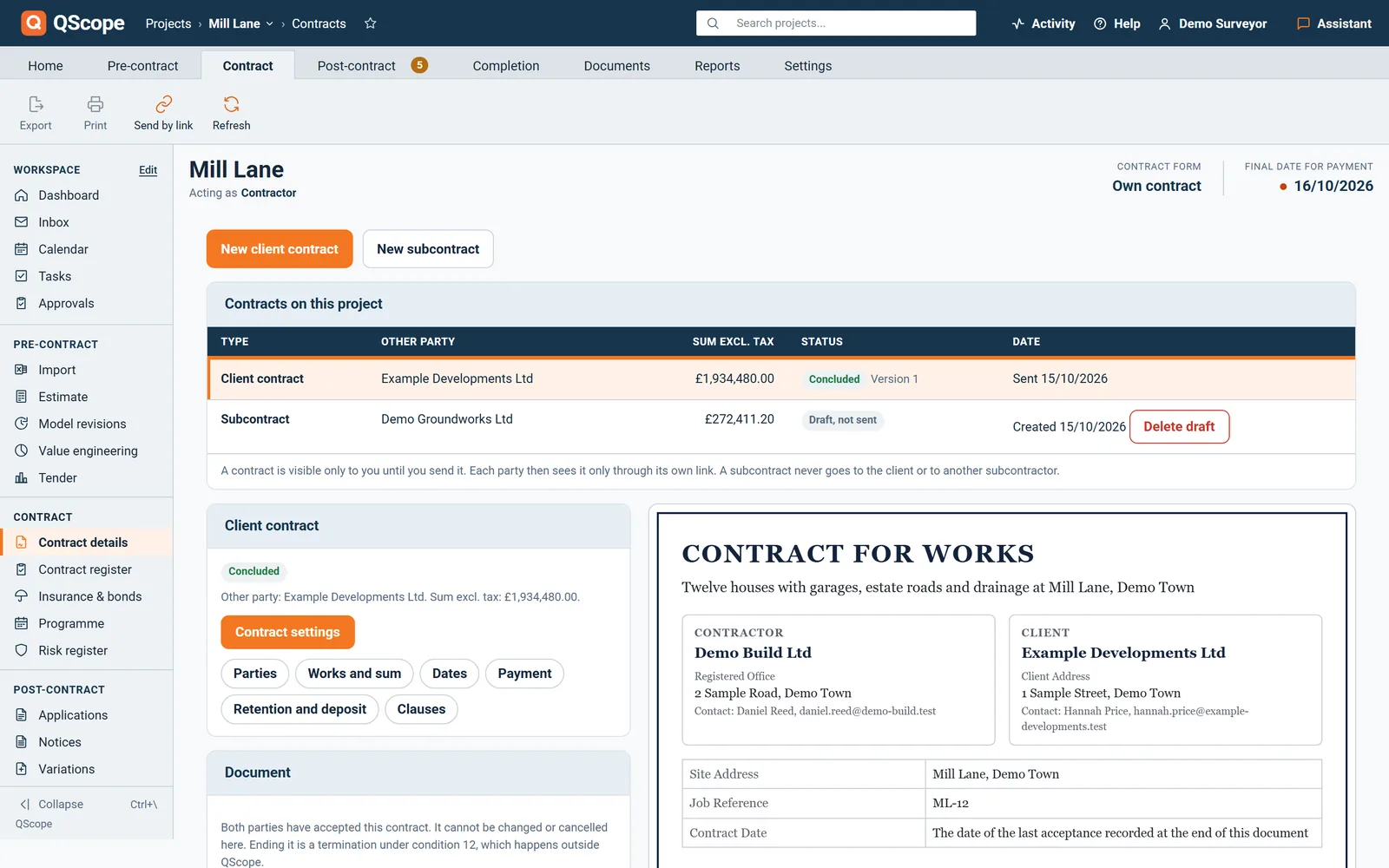
The contract is filled from the project, so the sum, the parties and the dates are the ones you already have.
What comes out
Who else takes part by link, free

The client contract is concluded and the subcontract with Demo Groundworks Ltd is a draft. Each party accepts on its own link.
Step 5 · Every valuation
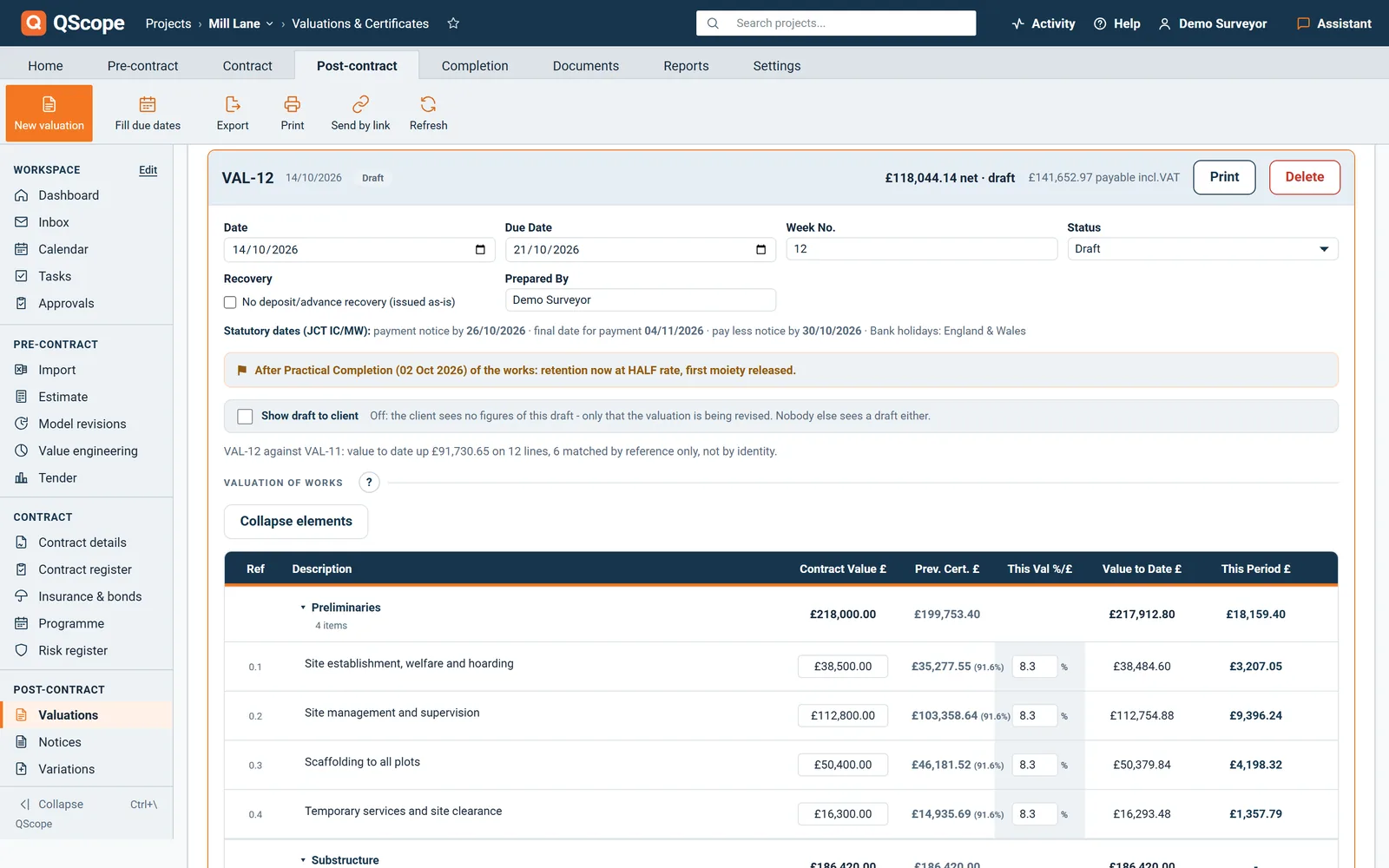
This is the step most teams lose a day to every month. The lines are already there, so the valuation is the work done this period and nothing else.
What comes out
Who else takes part by link, free

Valuation 12, still a draft. Its dates are counted from the periods confirmed at set up.
Step 6 · Once, at completion and at the end of the rectification period
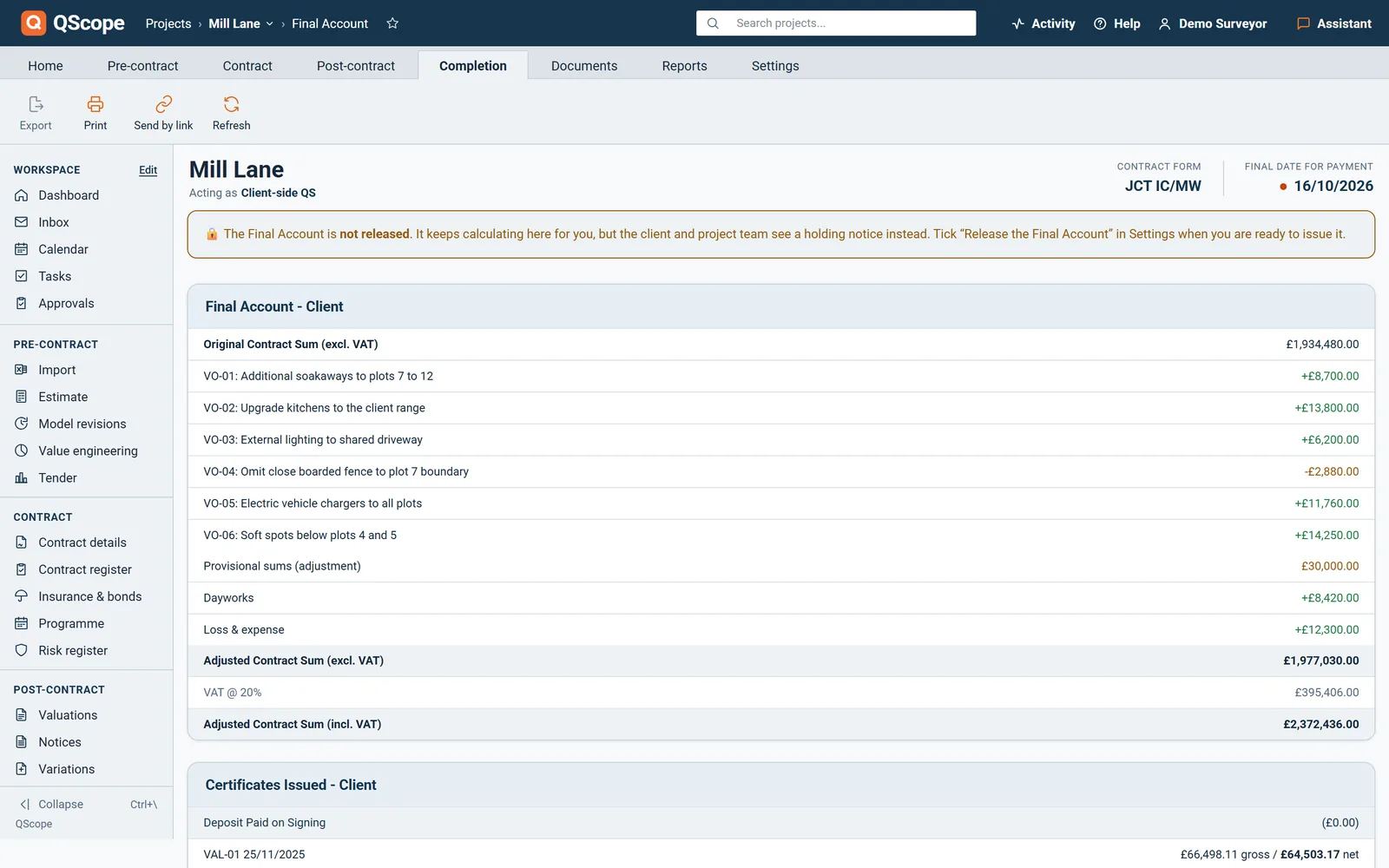
Completion halves the retention and sets up its release, and the final account adds up from the same lines the valuations used.
What comes out

From the contract sum to the final balance, each adjustment on its own line.
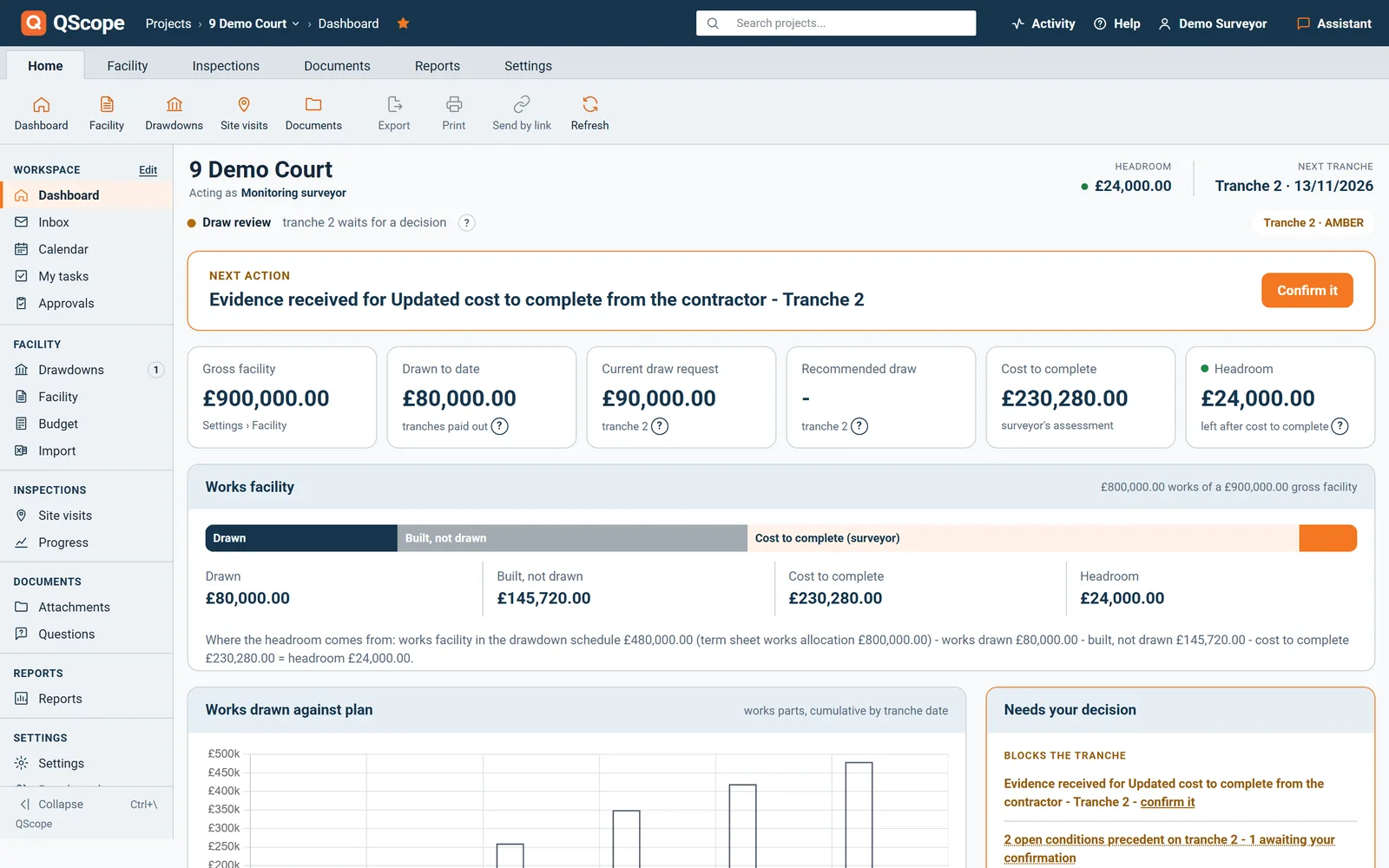
Step 7 · Every drawdown, where there is a lender
On a funded job the monitoring surveyor works from the facility, the site visits and the same commercial figures.
What comes out
Who else takes part by link, free

The recommendation traces to the facility, the visits and the evidence filed against the tranche.
At every stage
Start
Start with the estimate, or import the spreadsheet you have.
Go to the stepSet it up, enter what has been certified so far as one valuation, and issue the next certificate from it.
Go to the stepStart a Monitoring surveyor project and upload the facility PDF on Facility terms.
Go to the stepA live job with a valuation due in the next two weeks. Not the biggest and not the most awkward. You want to reach an issued certificate on the first afternoon, because that is the point where you can judge whether QScope saves you time.
Not to start. Enter the sections you are actually valuing this period and add the rest as you go. A partial bill still produces a correct certificate for the work you have priced.
Enter what has been certified so far as one valuation at its value to date, and issue the next certificate from it. QScope does not need the history of every past valuation to produce the next one.
Download a full copy of your account as one file and walk away. Project data stays available to export for at least 60 days after a cancellation, unless you delete the account yourself. Your data is not held hostage to the subscription.
No. Each stage works on its own. When you use more than one, they share the same record, so nothing is retyped.
Set the job up once, and every stage after it works from the same figures.
30 days free, no card.
Rather ask first? Write to help@qscope.co.uk and you will get a reply within one working day, Monday to Friday.