QScope

Risk and contingency

A contingency you can defend line by line

Every QS carries a contingency. Very few can show how it was arrived at when the client asks, which is exactly when it gets cut.

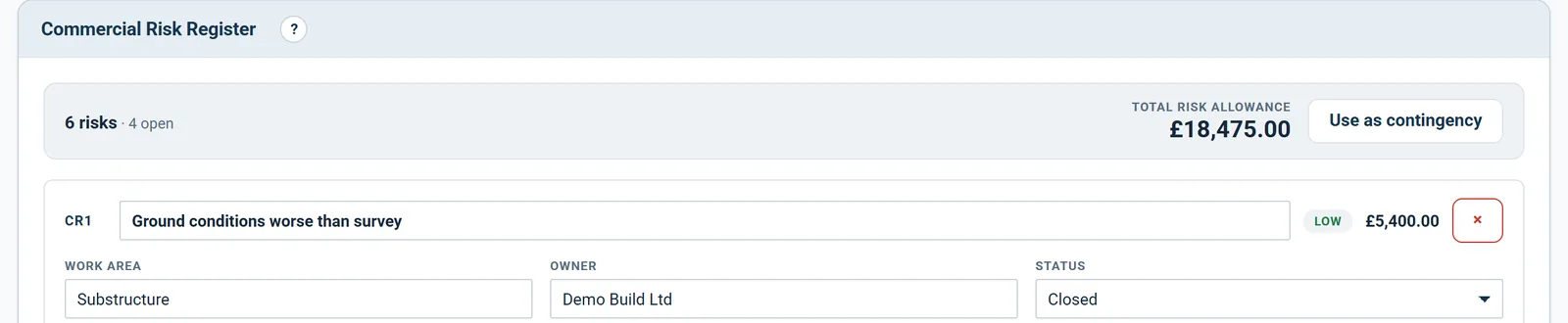
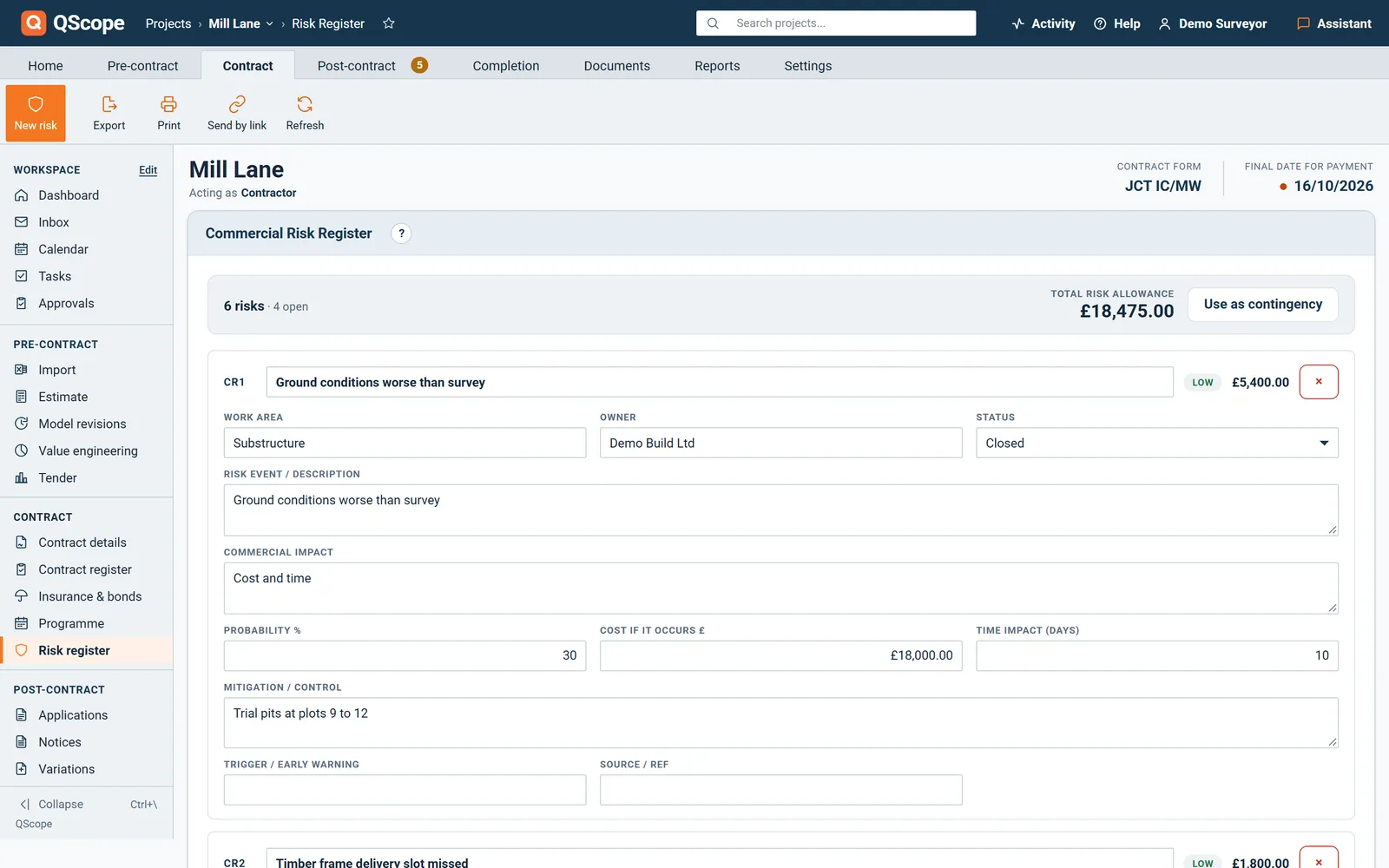
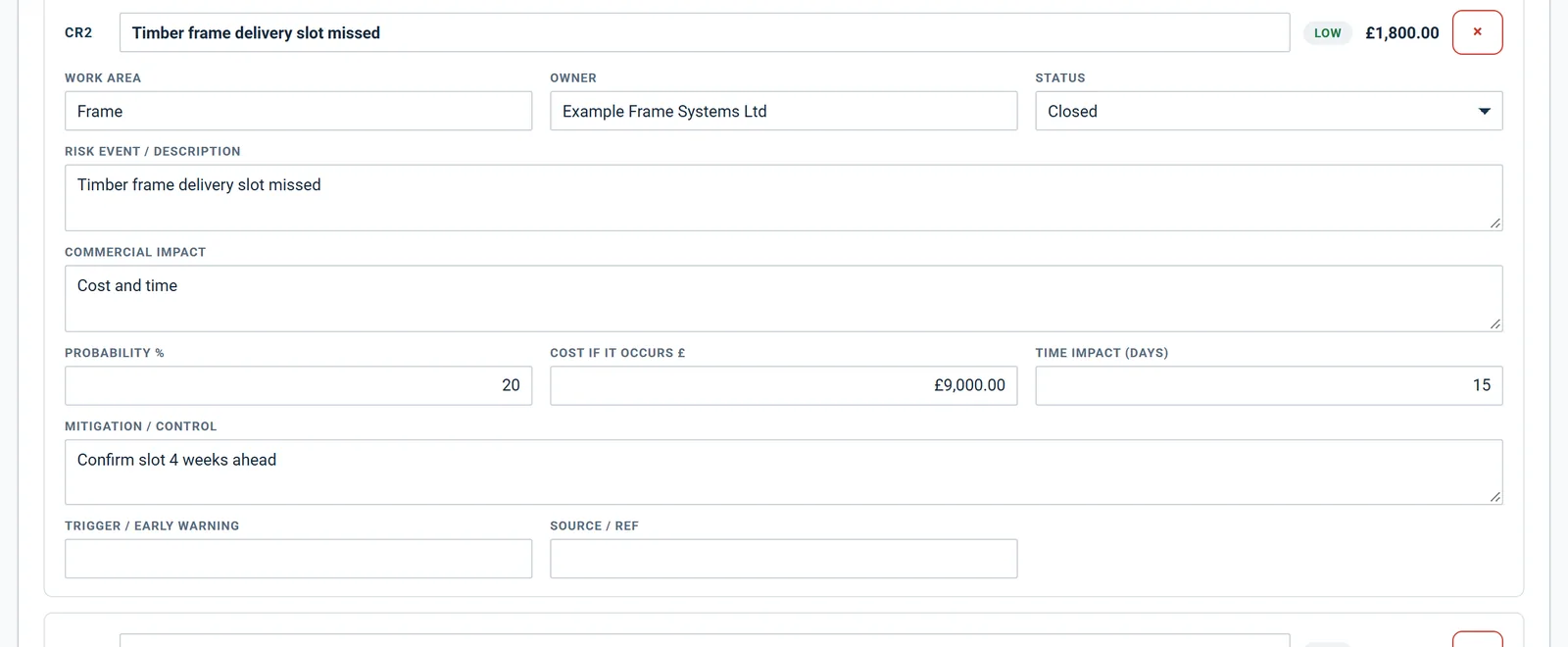
  • Each risk carries a cost, a probability and an owner
  • Allowance calculated as probability times cost, per risk and in total
  • Status moves from open to closed as risks fall away

30 days free, no card.

Risk Register
Commercial risk and allowance
RiskProb.Allowance
Ground conditions below slab30 %£2,400
Late structural steel delivery45 %£1,350
Client changes to M&E layout20 %£1,450
Asbestos in the annexe10 %Closed
Total allowance carried£5,200

Record each risk with what it would cost if it happened and how likely it is. The allowance is the expected value, and it changes as the job de-risks.

Probability times cost, not a round number

A five per cent contingency is a guess dressed as a policy.

It survives right up until a client asks what it is for, and then it becomes a negotiation you cannot win. Record each risk with what it would cost if it happened and how likely it is. The allowance is the expected value, and it changes as the job de-risks.

Cost Report

The register is the conversation, not the paperwork

A risk register kept for the file is a cost.

  • Prints on your letterhead alongside the cost report
  • Client guests see the risks without your probability, cost or days
  • Closed risks stay on the record, so the reduction is visible
Cost Report
Anticipated final cost
Budget
£230,000
Anticipated
£224,800
Variance
+£5,200
Contingency from risk register£5,200.00
Contingency drawn down to date(£1,800.00)
Remaining allowance£3,400.00

Print it for the client, or keep it internal. It never appears on a client guest link unless you decide it should.

Reports

It prints as a report, or stays off the client link

A risk register is only worth keeping if it produces a document.

  • Risk register printed on your letterhead alongside the cost report
  • Client guests see the risks without your probability, cost or days
  • Closed risks shown, so the reduction is visible
Reports
What prints
Cost report, anticipated final costClient
Retention noticeClient
Client Financial SummaryClient
Risk registerInternal

QScope keeps the register off client guest links by default, because a client who can read your contingency will always want to negotiate it. You print it for them deliberately, when the conversation calls for it.

See it running before you sign up

Risk register

The client sees the risks, not your pricing

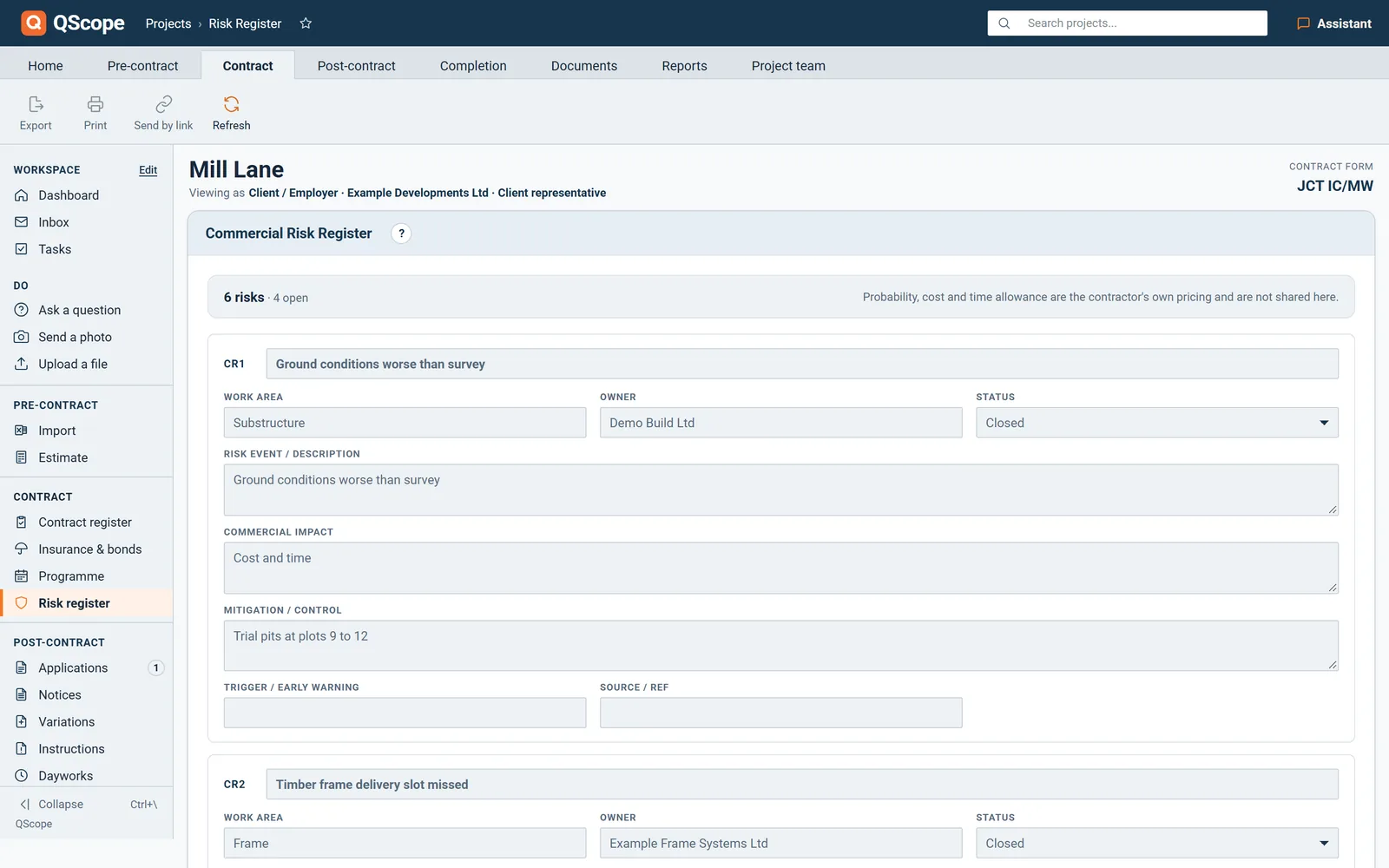
A client guest sees the register as an early warning list, without your probability, cost or time allowance.

  • On a contractor project the client guest sees title, event, owner, status and mitigation.
  • Probability, cost, days, rating and allowance are removed on the server before the page reaches them.
  • The guest sees one line saying the pricing is the contractor's own and is not shared.
Risk register
The client sees the risks, not your pricing
In the program
On a contractor project the client guest sees title, event, owner, status and mitigation
Probability, cost, days, rating and allowance are removed on the server before the page reaches them
The guest sees one line saying the pricing is the contractor's own and is not shared

Shown on the same screen as the rest of this page.

Every other function on the Risk register screen

23 functions the sections above do not cover, each as it works in the program.

Functions 1 to 12

01Record the Work area each risk sits in, so you can see where the exposure is on site.
02Status runs from Open through Mitigated or Materialised to Closed, so the register shows what happened to each risk.
03Describe the event itself in Risk event / description, separate from the short title.
04Note the Commercial impact in words, alongside the figure.
05Record the Time impact (days) as well as the cost, so a risk to the programme is on the same record.
06Each risk has a Mitigation / control field for what you are doing about it, and it prints with the risk.
07Write down the Trigger / early warning that would tell you the risk is turning into a cost.
08Keep a Source / ref against each risk, such as a survey, a clause or an instruction.
09Deleting a risk asks you to confirm first.
10Export the whole register to CSV, with every field, the rating and the allowance for each risk and a total line.
11When you act as the client's QS, the client guest sees the full register, figures included.
12A guest with edit access can add risks, and your own figures are kept when they save.

Functions 13 to 23

13Subcontractor guests do not see the risk register at all.
14In the CVR, provisions are entered for each period by hand.
15Each new risk is numbered for you as CR1, CR2 and so on.
16Each risk gets a Low, Medium or High rating from its probability and its cost measured against the contract sum.
17The register shows how many risks you carry and how many are still open.
18Until a risk has both a probability and a cost, the total says what is missing instead of showing £0.00.
19Use as contingency asks before it replaces the figure already in your cost report settings.
20The total includes every risk with a probability and a cost, so reduce the probability to zero when a risk falls away.
21After a deletion the CR numbers close up, so the register has no gaps.
22The printed Risk Register lists each risk with owner, probability, cost, days, rating and allowance, with mitigation and early warning underneath.
23Team members with view only access see the register without your risk pricing.
Who it is for

One record, four reports that must agree

You are applying

You report cost against money secured

You report cost against the sum you have actually secured, and the difference between the two is the conversation with your own board.

Applying for payment
the same measurement

You are certifying

You report on figures you certified

You report to the client on a job you certify, and the report has to reconcile with the certificates you signed.

Certifying payment

You are doing both

Your record is the only report there is

You are the report: what you have applied for, what has been certified and what is still to fund, pulled from your own record.

Doing both yourself

You are reporting

You turn the record into a drawdown

You turn the project record into a drawdown recommendation, and the figures have to reconcile before the lender releases a pound.

Recommending a drawdown

The client, the architect and the tenderer are not on this list. They are the people you let in on a link: they see the one document you sent them, answer it, and that answer is written into the record. No account, no licence, no charge, on every plan.

FAQs

The questions this page raises most often, answered without a sales pitch at the end.

It follows the same idea: identify the risk, quantify the cost, assess the likelihood, and carry the expected value as an allowance. It is a commercial register aimed at cost, not a health and safety or programme risk register.

A client guest sees the risks and their status, but not your probability, cost or days: those are removed on the server before the page is sent.

Close it. The allowance drops, the anticipated final cost improves, and the record shows the client that the number came down because the risk went away rather than because you were asked to cut it.

Every plan. Plans differ by how many surveyors you have, never by which features you can use.

From the blog

The part nobody teaches you, written down

Three pieces from the same corner of a contract as this page, answered at length and without a sales pitch at the end.

All 174 pieces

Keep reading

The three parts this page leans on

A contingency you can defend line by line

Every QS carries a contingency. Very few can show how it was arrived at when the client asks, which is exactly when it gets cut.

30 days free, no card.

Rather ask first? Write to help@qscope.co.uk and you will get a reply within one working day, Monday to Friday.