QScope

Project record

The paperwork that settles the argument

A superseded drawing is the most expensive piece of paper on a site. Photographs taken on a phone and never filed are worth nothing when a defect is disputed two years later.

  • Everything filed against the project it belongs to, not a shared drive
  • Guests can add photographs and files where you allow it, recorded against them
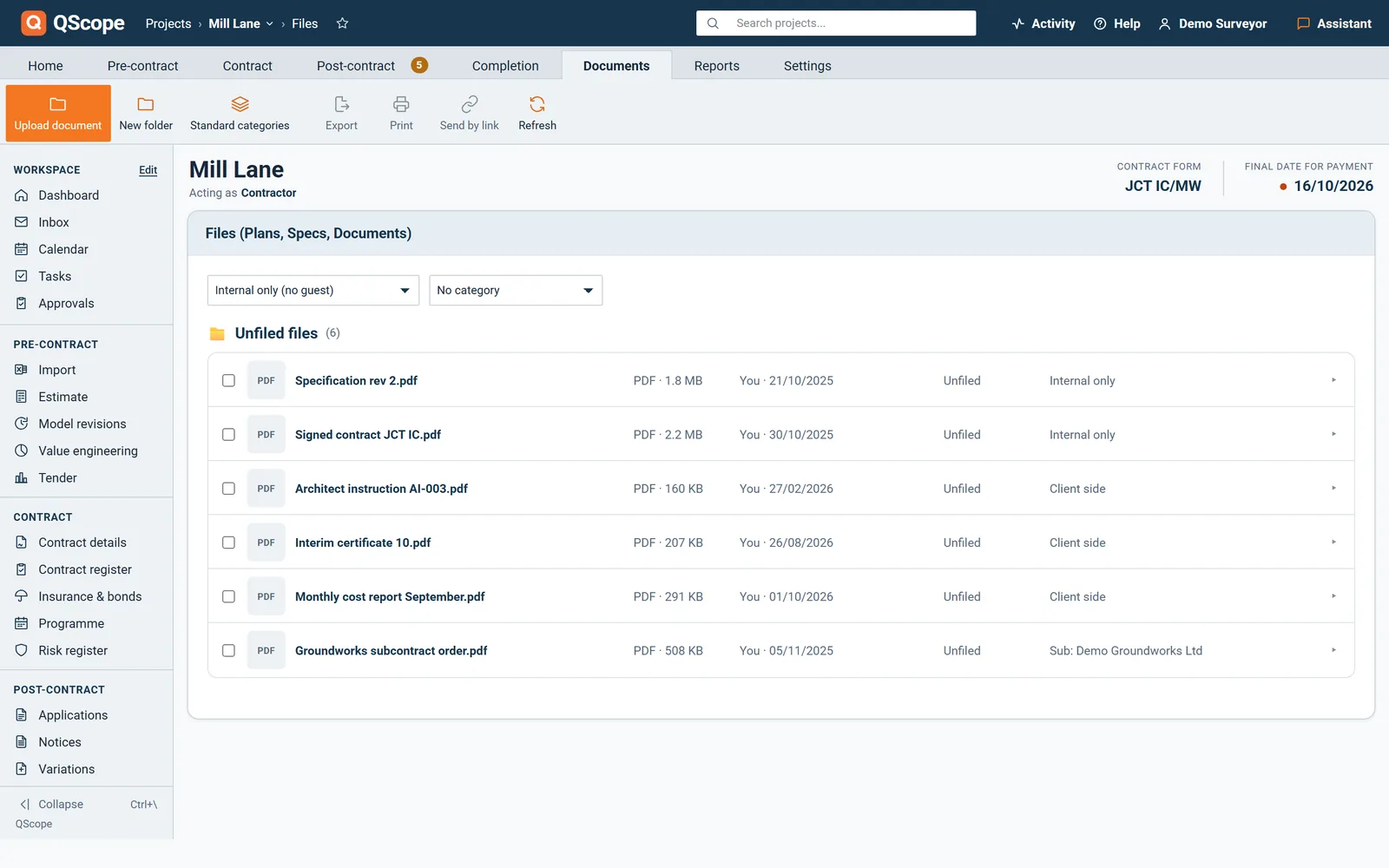
  • The file list shows who uploaded each file and when

30 days free, no card.
Files
Project record
DocumentStatus
Contract, JCT SBC 2016, signedCurrent
Drawing A-102 rev C, gable elevationCurrent
Drawing A-102 rev BFiled
Site photographs, week 1418 files
Correspondence, delay notice 4 AugFiled

Filing against the project as you work costs seconds. Reconstructing it afterwards costs days, and the parts you cannot find are the parts that mattered.
The file assembles itself as you go

Nobody sets out to reconstruct a project file the week before an adjudication.

It happens because the record was never kept in one place while the job was running. Filing against the project as you work costs seconds. Reconstructing it afterwards costs days, and the parts you cannot find are the parts that mattered.
Files and plans

Drawings, photographs and correspondence, with the job

A superseded drawing is the most expensive piece of paper on a site.

  • Drawings filed in their own folder, with pins and markup
  • Site photographs listed with who uploaded them and when
  • Contracts and correspondence filed against the job
Files and plans
Project record
DocumentStatus
Contract, JCT SBC 2016, signedCurrent
Drawing A-102 rev C, gable elevationCurrent
Drawing A-102 rev BFiled
Site photographs, week 1418 files

QScope keeps plans, site photographs, contracts and correspondence against the project they belong to, so the file is assembled as you go rather than the week before an adjudication.

RFIs

The question that produced the revision

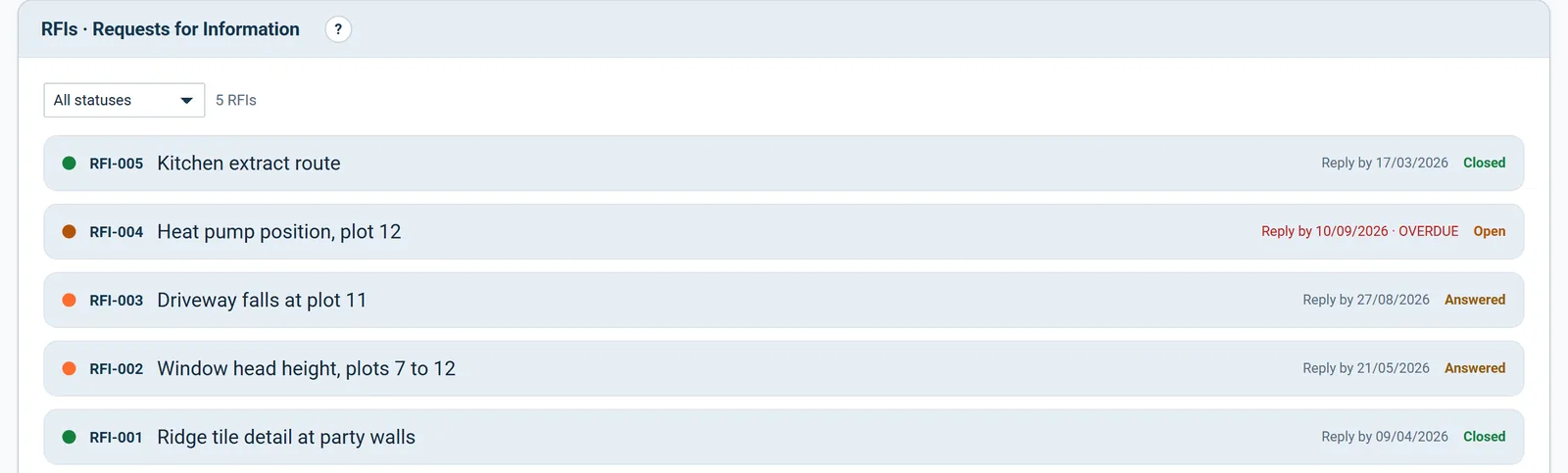
A drawing revision usually starts as a question.

  • Question, who it was raised with, and the date raised
  • Answer and the date it was given
  • A reply-by date on each RFI, marked OVERDUE once it passes
RFIs
Outstanding on this project
QuestionRaisedStatus
Confirm lintel spec over new opening4 AugOpen
Drainage invert level at MH311 AugOpen
Finish to exposed soffit2 AugAnswered
Open on this project2

Kept beside the drawings and photographs, the RFI and the revision it produced sit on the same project rather than in two systems that lose sight of each other.

See it running before you sign up

Instructions

The instruction behind the revised drawing

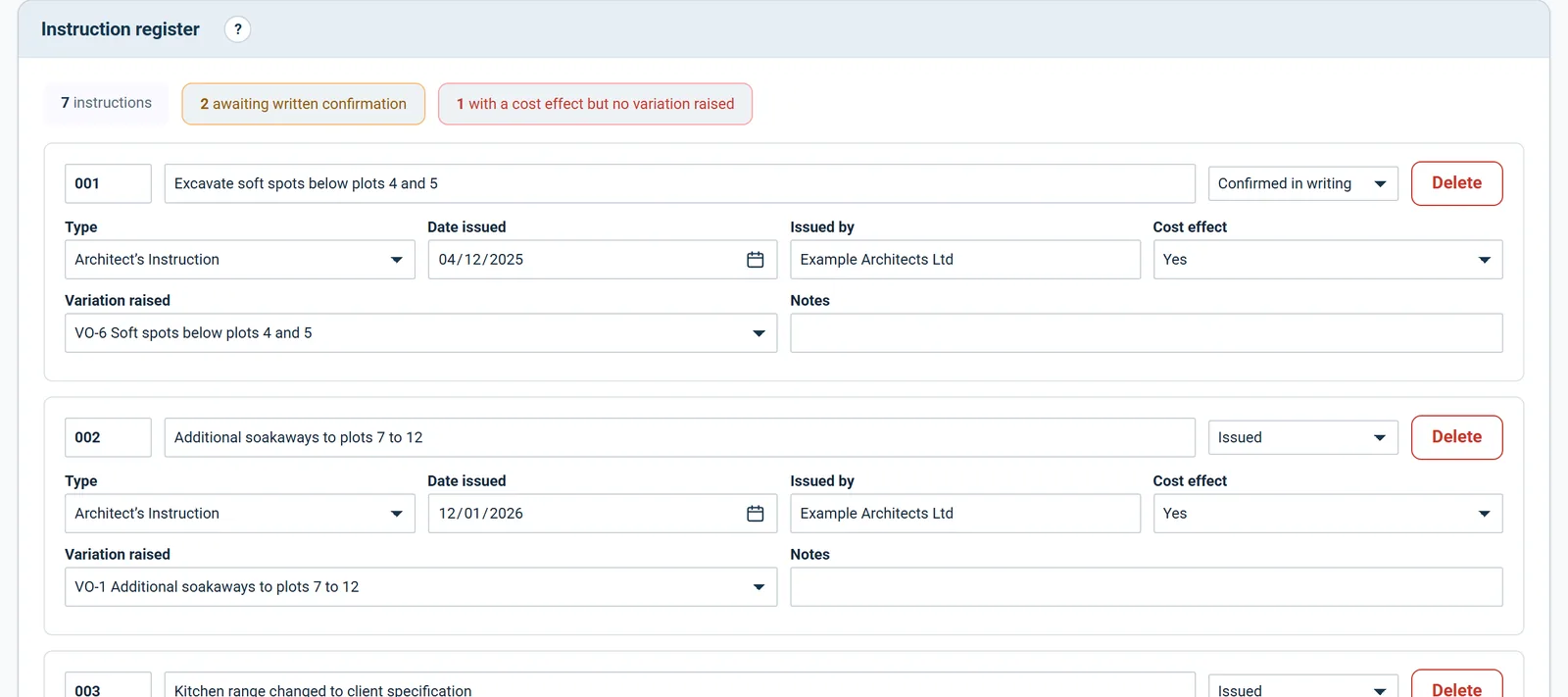
A revised drawing that changes the cost of the works needs an instruction behind it.

  • Every instruction in the order it was given
  • Instructions with a cost effect and no variation flagged in red
  • Verbal instructions awaiting written confirmation flagged in amber
Instructions
Register
Instructions
24
Unconfirmed
2
No variation
3
AI-018 · Revised door scheduleVariation VO-11
AI-019 · Additional drainageNo variation raised
CVI-004 · Verbal, 12 MayAwaiting confirmation
With a cost effect19 of 24

The instruction register sits with the drawings, so the authority and the document it changed are filed against the same project.

Files

Mark up the drawing and pin the task to it

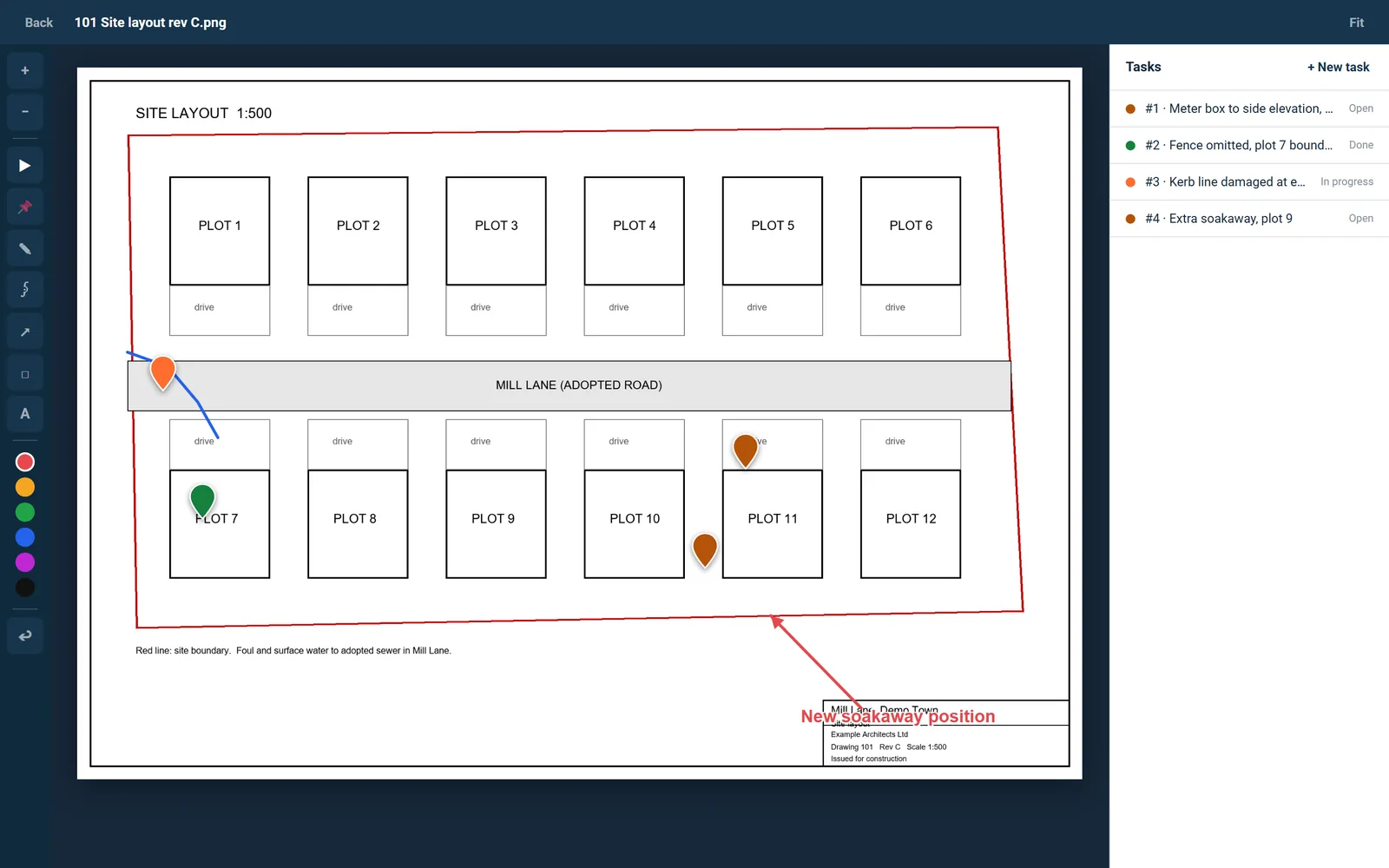
The plan viewer puts pins and markup straight onto a drawing, with a task panel beside it.

  • Pin and task, freehand drawing, arrow, box and text, with an eraser and undo
  • Site photos taken or uploaded from the phone, listed with who uploaded them and when
  • Standard categories create the usual folders in one click, from Bill of Quantities to Correspondence
Files
Plans · pins on drawings
On the drawingTask
Pin 1 · lintel bearingdirected to the engineer
Pin 2 · door scheduledirected to the architect
Markuparrow and text
Open tasks on this drawing2

The standard set covers Bill of Quantities, Drawings, Specifications, Scope of Works, Contract Documents, Site Information, Photos, Programme, Health and Safety, Correspondence and Other Documents.

Drawings, photos and files

From a pin on the drawing to a variation

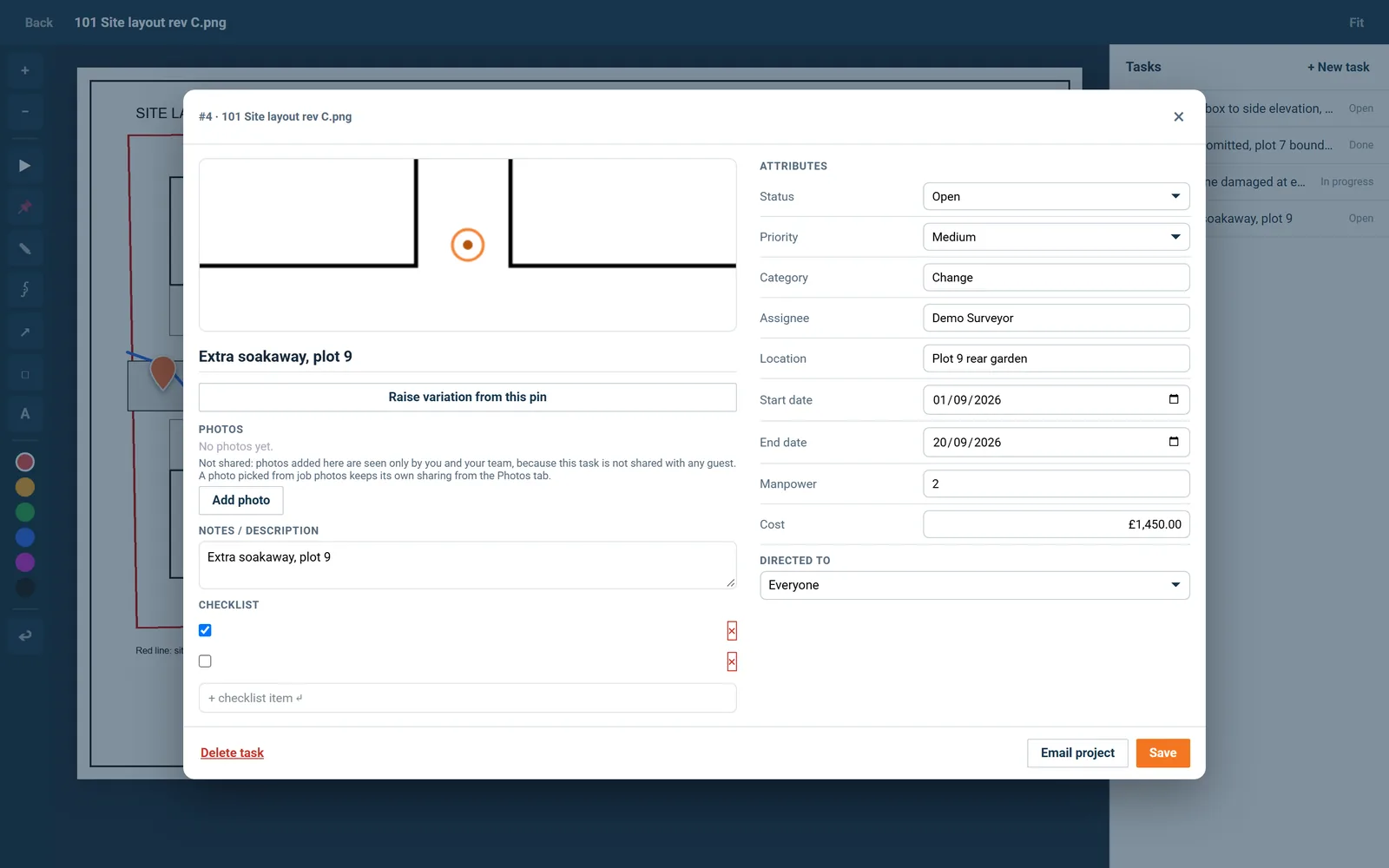
Raise variation from this pin turns a marked-up problem into a variation with its title, location, drawing and cost filled in.

  • The new variation names the drawing and the pin number it came from.
  • Location and cost from the pin are carried across.
  • The pin shows that a variation has been raised from it.
Drawings, photos and files
From a pin on the drawing to a variation
In the program
Raise variation from this pinbutton
A variation has been raised from this pin.button

On screen: “Raise variation from this pin”, “A variation has been raised from this pin.”.

Every other function on the Drawings, photos and files screen

10 functions the sections above do not cover, each as it works in the program.

Functions 1 to 5

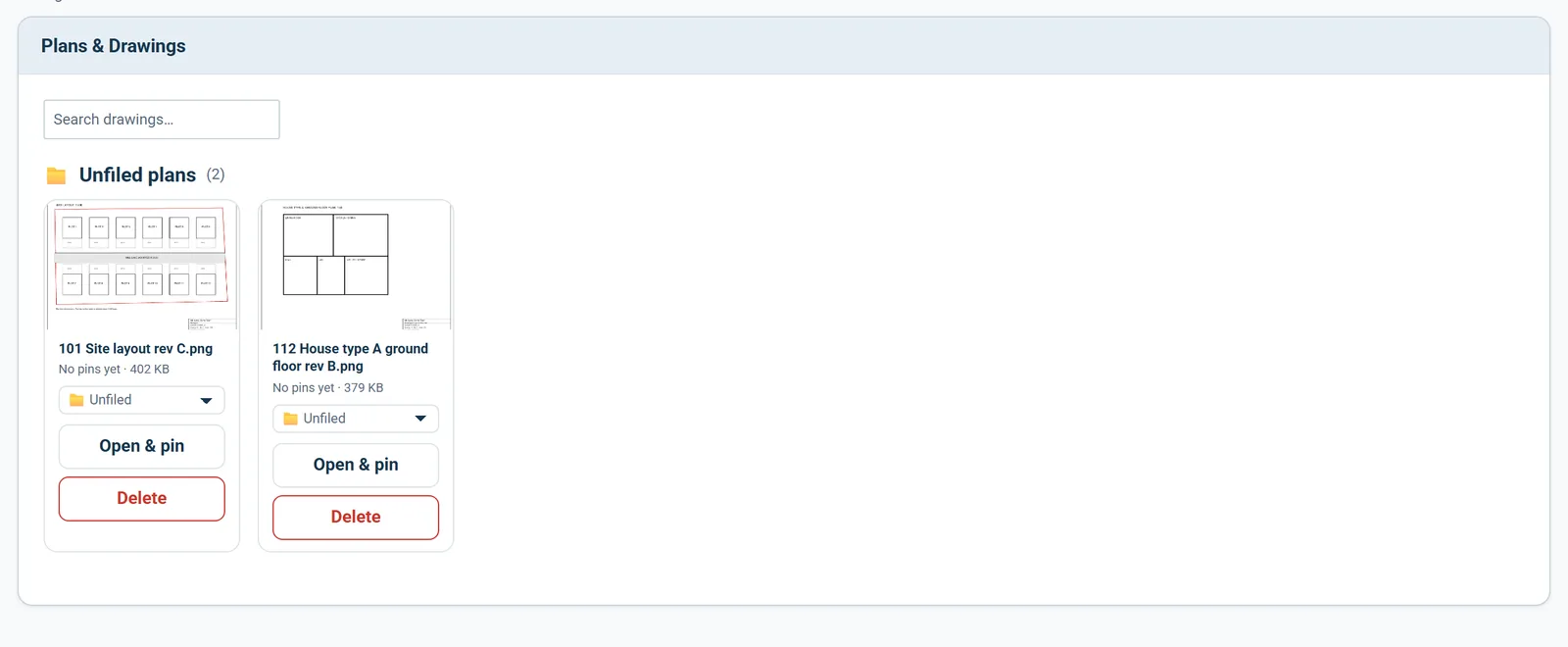
01Group drawings into your own folders, and a deleted folder sends its drawings back to Unfiled.
02Search drawings by name.
03The plan viewer fits the drawing to the screen, zooms with buttons or the scroll wheel and pans by dragging.
04A pinned task carries status, priority, category, assignee, location, start and end dates, manpower and cost.
05Add photos to a pin from the camera, from your phone or from photos already on the job, with a checklist and notes beside them.

Functions 6 to 10

06Make your own folders in Files and move documents between them.
07Select several files at once to move them, change who can see them or delete them.
08Photos taken on a pin or a task also appear in Site Photos, and a click opens the full image.
09Two files with the same name and size are marked as duplicates, with a note saying which copy is older.
10Deleting a file asks first, and a refusal from the server is shown with its reason.

Who it is for

One paper trail, four people behind it

You are applying

The record defends your own figures

You keep the record that defends your own applications: who changed which figure, and the documents behind every line.

Applying for payment
the same measurement

You are certifying

The trail holds when yours are challenged

You certify on the strength of the record, and when a figure is challenged the audit trail is what stands between you and an argument.

Certifying payment

You are doing both

The file protects the one who kept it

You keep the paperwork yourself, and the file that assembles as you go is the one that protects you when memories differ.

Doing both yourself

You are reporting

The record is all the site you see

You rely on the record more than anyone: bonds in force, access controlled, every figure traceable, because you were never on site.

Recommending a drawdown

The client, the architect and the tenderer are not on this list. They are the people you let in on a link: they see the one document you sent them, answer it, and that answer is written into the record. No account, no licence, no charge, on every plan.

FAQs

The questions this page raises most often, answered without a sales pitch at the end.

No, and it does not pretend to be. QScope is built for the commercial side of the job. The programme, drawings, photographs, tasks and RFIs are here so the record sits with the money, not so you stop using a dedicated site tool if you have one.

Yes, where you allow it. Their uploads are listed against them with the date.

You can export everything at any time, including after a trial ends, and your data stays available for export for 60 days after cancellation.

Yes, one way: percent complete on the Gantt updates from your client valuations, matched by section. The programme never changes a valuation.

From the blog

The part nobody teaches you, written down

Three pieces from the same corner of a contract as this page, answered at length and without a sales pitch at the end.

All 174 pieces

Keep reading

The three parts this page leans on

The paperwork that settles the argument

A superseded drawing is the most expensive piece of paper on a site. Photographs taken on a phone and never filed are worth nothing when a defect is disputed two years later.

30 days free, no card.

Rather ask first? Write to help@qscope.co.uk and you will get a reply within one working day, Monday to Friday.