QScope

Value engineering

Every saving proposal, from the idea to the decision

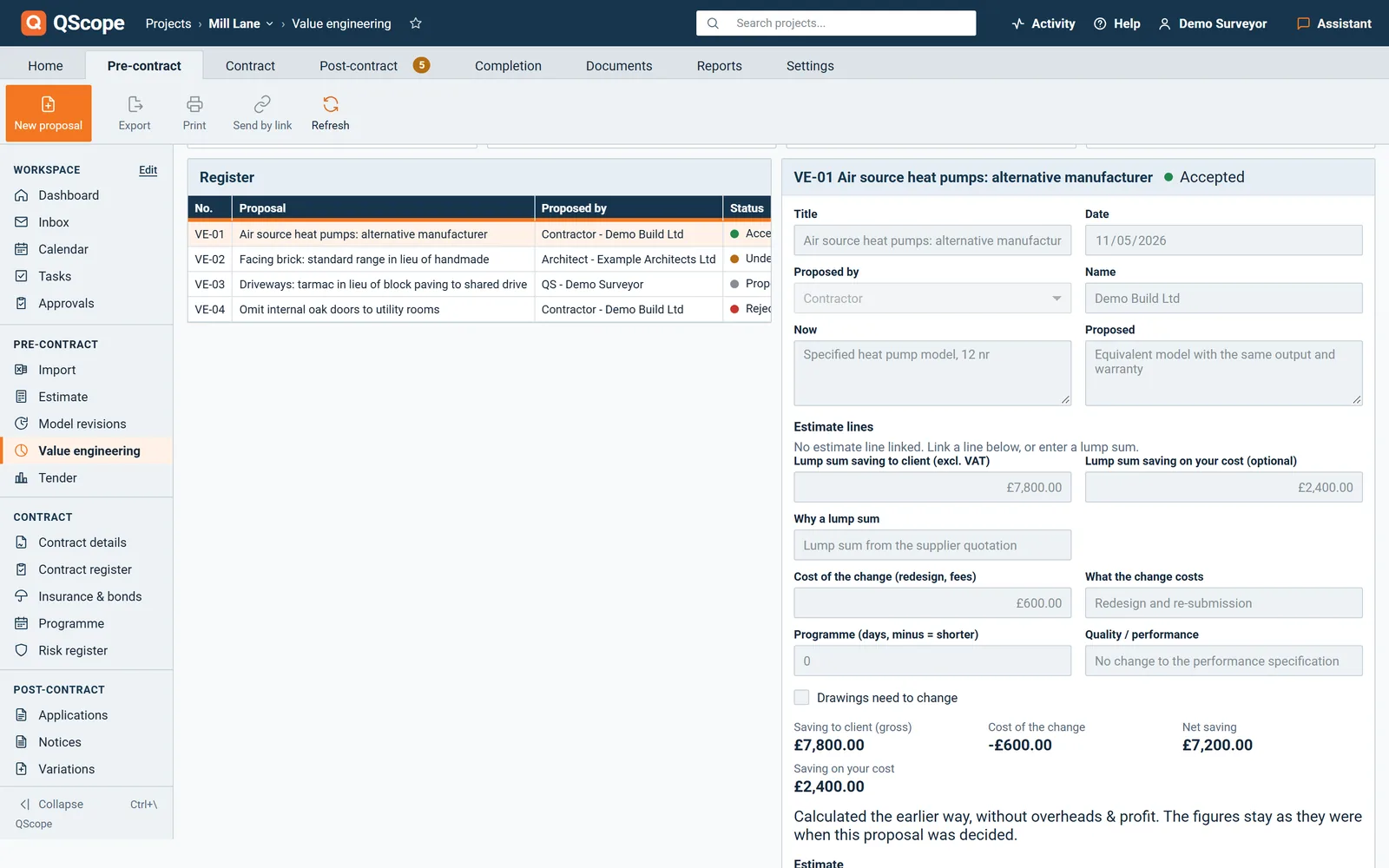
Each proposal sits in one register with what it is now, what is proposed, the saving after the cost of the change, and who decided it and when.

  • Proposals numbered VE-01, VE-02, from the contractor, the QS, the architect, the client or another party
  • Proposed, under review, accepted, rejected or withdrawn, with a reason required to reject
  • Tiles for the proposals, the accepted and open savings, and the estimate before and after

30 days free, no card.
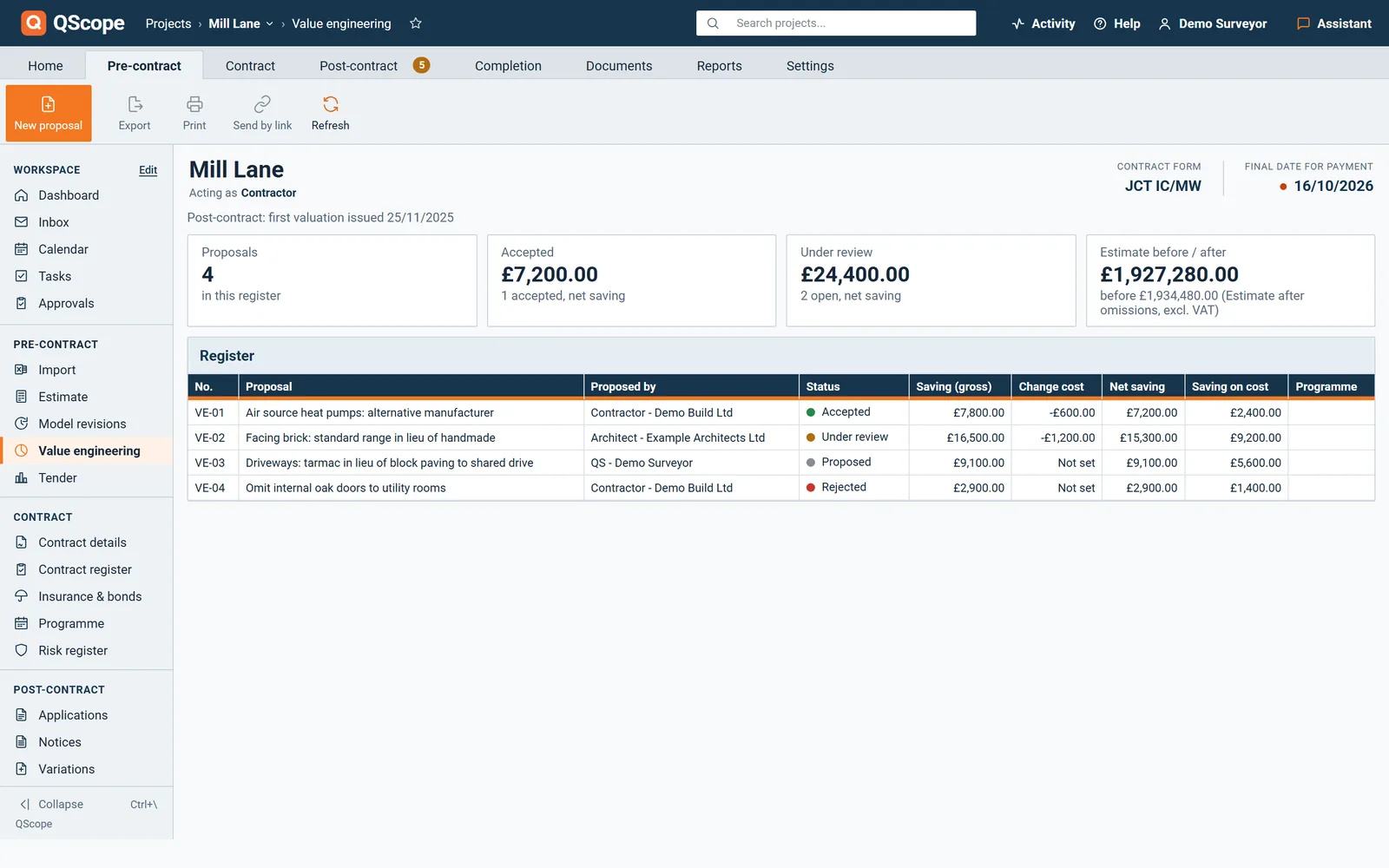
QScope Value engineering register: proposals with who proposed them, status, gross saving, cost of the change, net saving and saving on cost, and tiles for accepted and open savings

The register sits under Estimate, so the saving is always measured against the priced lines.
The saving

The net saving, after the cost of the change

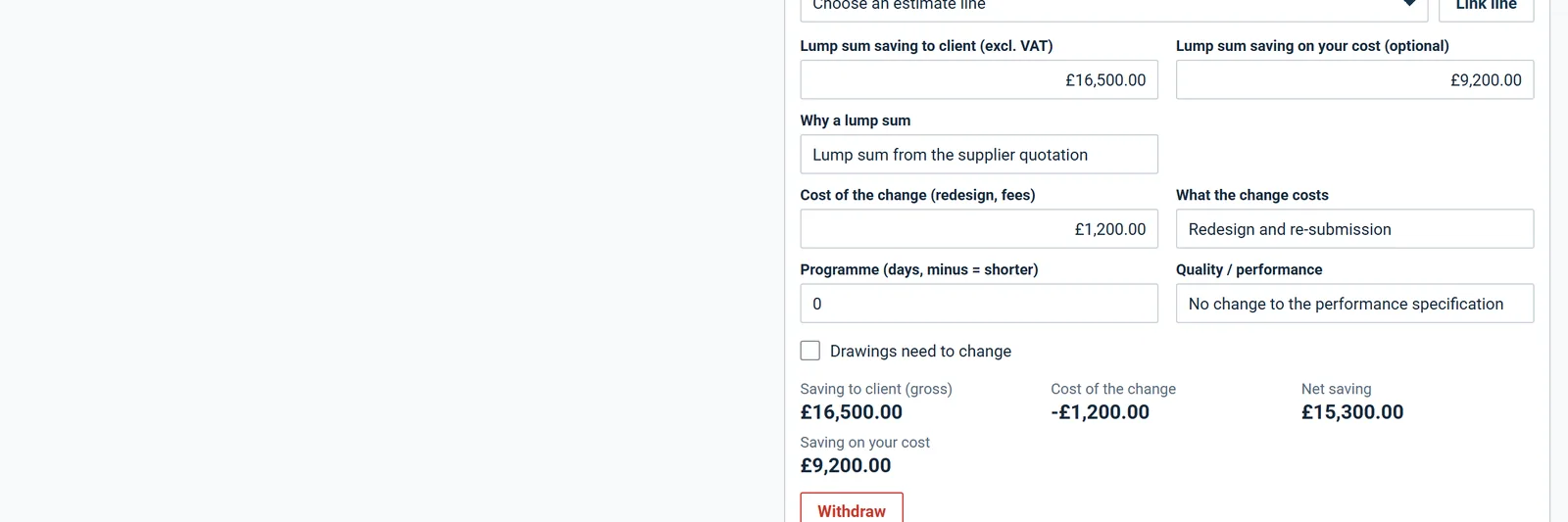
The saving to the client is reduced by what the change itself costs, such as redesign or fees, to give the net saving.

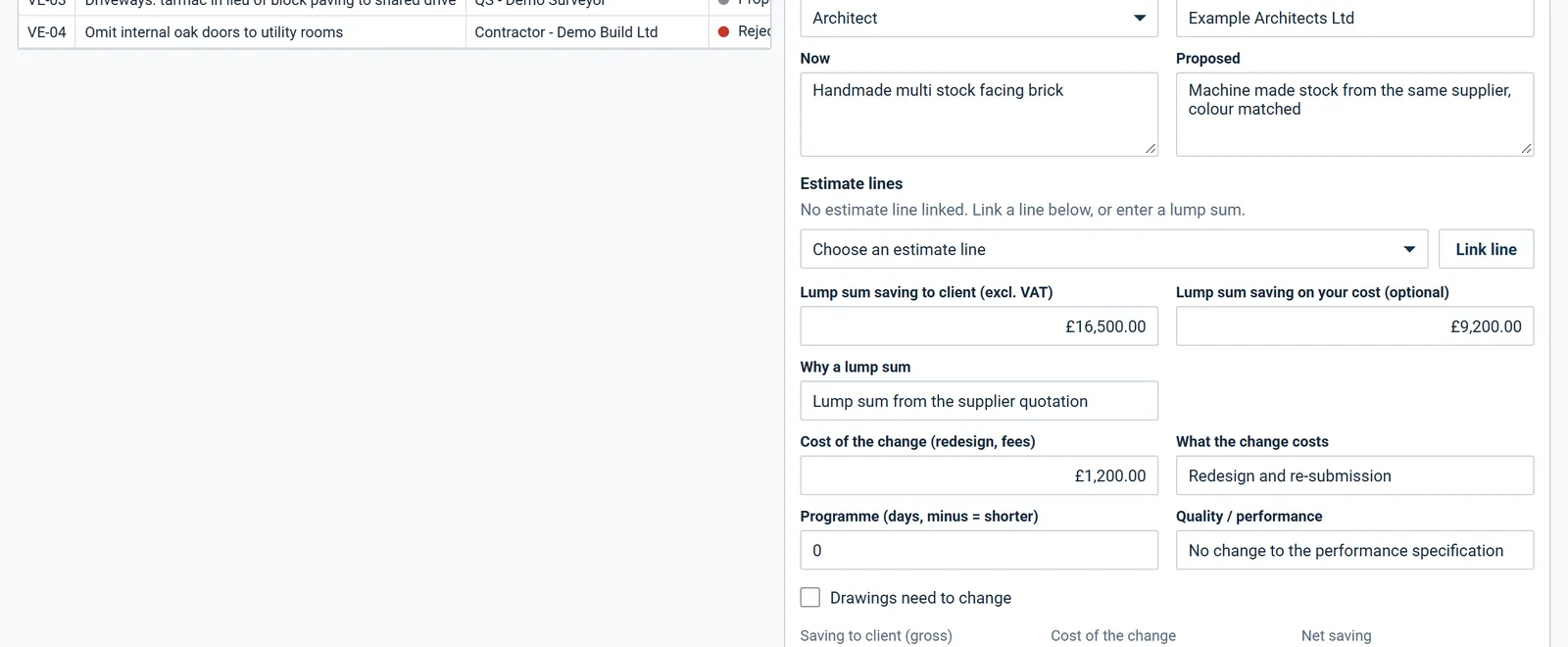
  • Saving on your own cost shown beside it, and optional, so a client-side QS can leave it blank
  • A lump sum saving where no estimate line is linked, with the reason for the lump sum
  • A change that costs more than it saves is called a cost increase, not a saving
A proposal with its lump sum saving, the cost of the change and the net saving after it

Every figure on the card comes from the lines or the lump sum entered on the proposal.

Estimate lines

Linked to the estimate lines it changes

Link the estimate lines a proposal changes and enter the proposed quantity or rate, or a lump sum instead.

  • Lines are chosen from the estimate by reference and description
  • An omitted estimate line saves nothing, so it is not counted
  • Programme in days, quality and whether drawings must change are recorded on the proposal
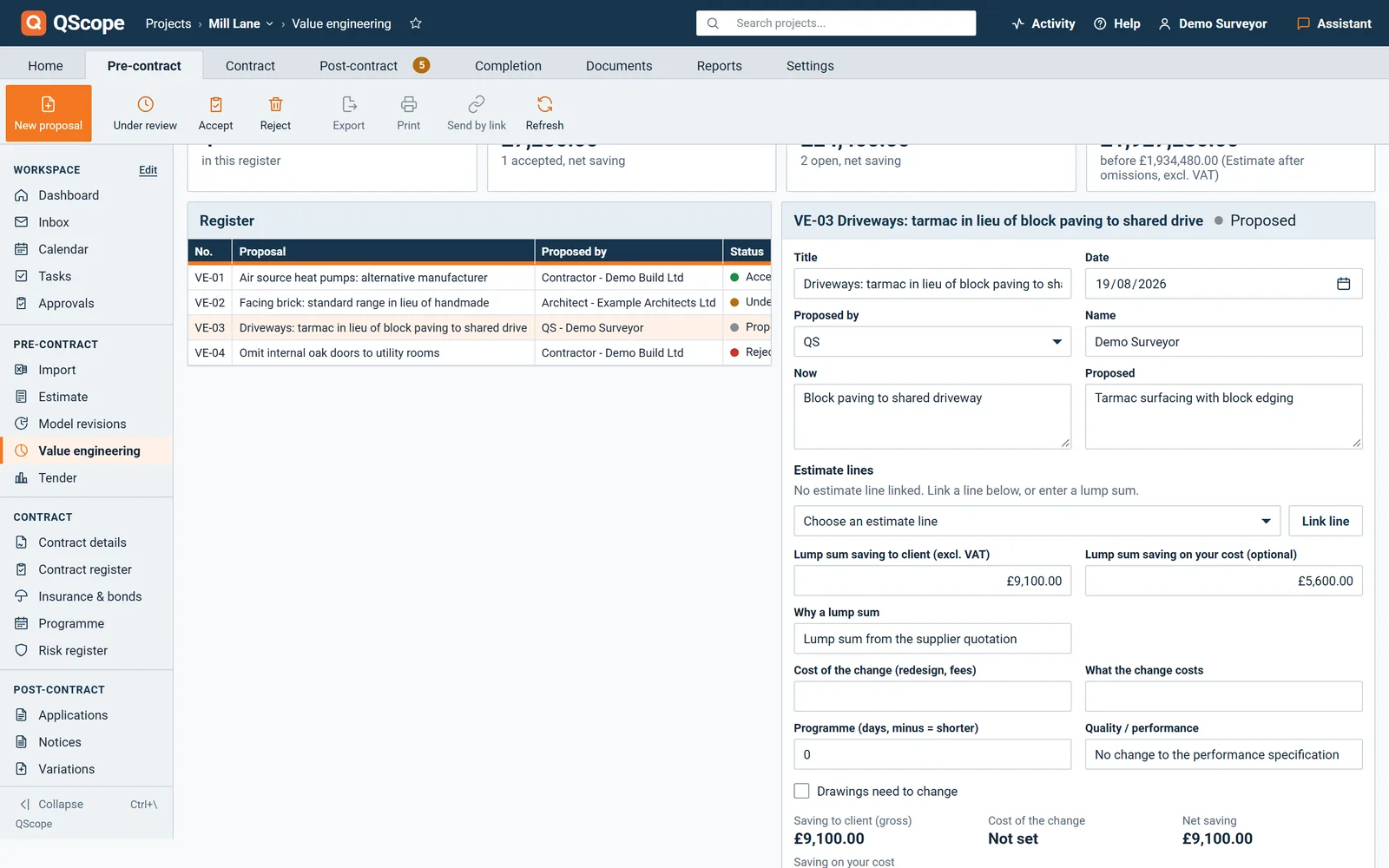
A proposal card: now and proposed side by side, and the estimate lines to link

Now and proposed are written side by side on the same card.

Before the contract

Before the contract, the estimate changes with a version either side

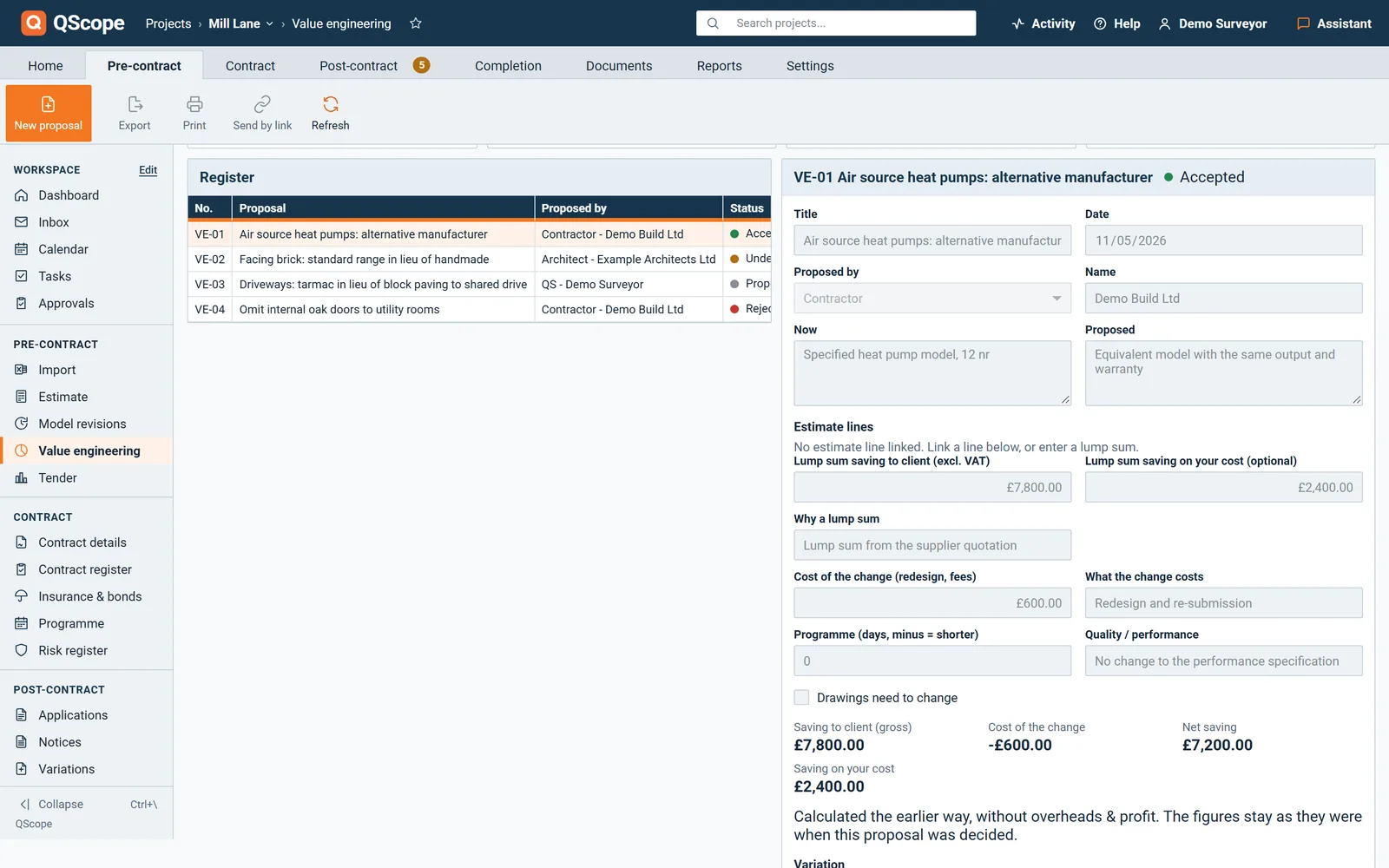
Before a contract or an issued valuation, an accepted proposal is applied to the estimate and QScope saves the version before and the version after.

  • The register says which applies: pre-contract, contract signed, or first valuation issued
  • Compare the two versions in Model revisions
  • A line taken to nil quantity leaves the estimate and stays in the version before
Before the contract: an accepted proposal ready to be applied to the estimate with a version before and after

Nothing is changed if the version before cannot be saved.

After the contract

After the contract, an accepted proposal becomes a variation

Once the contract is signed or a valuation has been issued, an accepted proposal creates a pending Omit or Substitute variation.

  • The variation carries the omitted and added lines and the cost of the change
  • The contractor's share of the net saving is entered as a percentage, and on NEC the screen notes 50% unless the Contract Data says otherwise
  • The contract sum moves only when the variation is approved
After the contract: an accepted proposal with Create variation to raise a pending variation

The variation and the proposal are linked both ways.

Decisions

Accepting a proposal is a decision

A person whose account cannot issue money documents can prepare proposals but cannot accept or reject them.

  • A rejection needs a reason
  • Withdraw a proposal rather than delete it, so the register keeps it
  • Delete removes a proposal from the register altogether
A proposed saving with Accept proposal, Reject proposal and Withdraw proposal

The status and the decision stay on the proposal.

See it running before you sign up

Who it is for

One change, four people it touches

You are applying

You price the change and defend it

You price the instruction, submit the variation and defend it when it comes back cut. Instructed work with no variation against it is money you have already spent.

Applying for payment
the same measurement

You are certifying

You value the change and answer for it

You value the variation from the other chair and account for what you cut. The register you keep is the one the final account will be argued from.

Certifying payment

You are doing both

You build the change, paid or not

You absorb the small changes as they come, and the ones nobody wrote down are the ones you end up building for free.

Doing both yourself

You are reporting

You fund the change, priced or blind

You check that scope changes are priced and approved before money moves, because an unpriced variation is risk the facility is carrying blind.

Recommending a drawdown

The client, the architect and the tenderer are not on this list. They are the people you let in on a link: they see the one document you sent them, answer it, and that answer is written into the record. No account, no licence, no charge, on every plan.

FAQs

The questions this page raises most often, answered without a sales pitch at the end.

Both. The card shows the saving to the client, the cost of the change and the net saving after it.

No. The saving on your own cost is optional. A client-side QS can leave it blank.

QScope creates a pending Omit or Substitute variation from it. The contract sum changes only when that variation is approved.

Yes, before the contract. Applying an accepted proposal saves a version before and a version after, which you compare in Model revisions.

From the blog

The part nobody teaches you, written down

Three pieces from the same corner of a contract as this page, answered at length and without a sales pitch at the end.

All 174 pieces

Keep reading

The three parts this page leans on

Put the next saving proposal on the record

Enter what it is now and what is proposed, and the net saving is worked out for you.

30 days free, no card.

Rather ask first? Write to help@qscope.co.uk and you will get a reply within one working day, Monday to Friday.